
Manual sign-in sheets create real problems: attendance errors, safety gaps when nobody's sure which bus a student actually boarded, slow-motion parent communication, and compliance headaches come audit time. This guide breaks down what an electronic student roster is, how it functions day-to-day, and why more districts are moving away from clipboards for good.
Key Takeaways
- Electronic rosters replace paper sign-in sheets with real-time ridership tracking synced to SIS data
- Real-time scans confirm who boarded which bus, where, and when, closing safety gaps paper systems miss
- Districts use them to support Medicaid billing, cut parent calls, and simplify substitute driver routes
- FERPA-compliant platforms protect student data while giving administrators and parents appropriate access
What Is an Electronic Student Roster?
An electronic student roster is a digital record of which students are assigned to specific buses and routes, and which ones actually boarded. It updates in real time through driver tablets rather than sitting static on a clipboard.
That distinction matters. A seating chart tells you who's supposed to be on a bus. An electronic roster captures the actual boarding and drop-off event, timestamped and logged the moment it happens.
The Typical Components
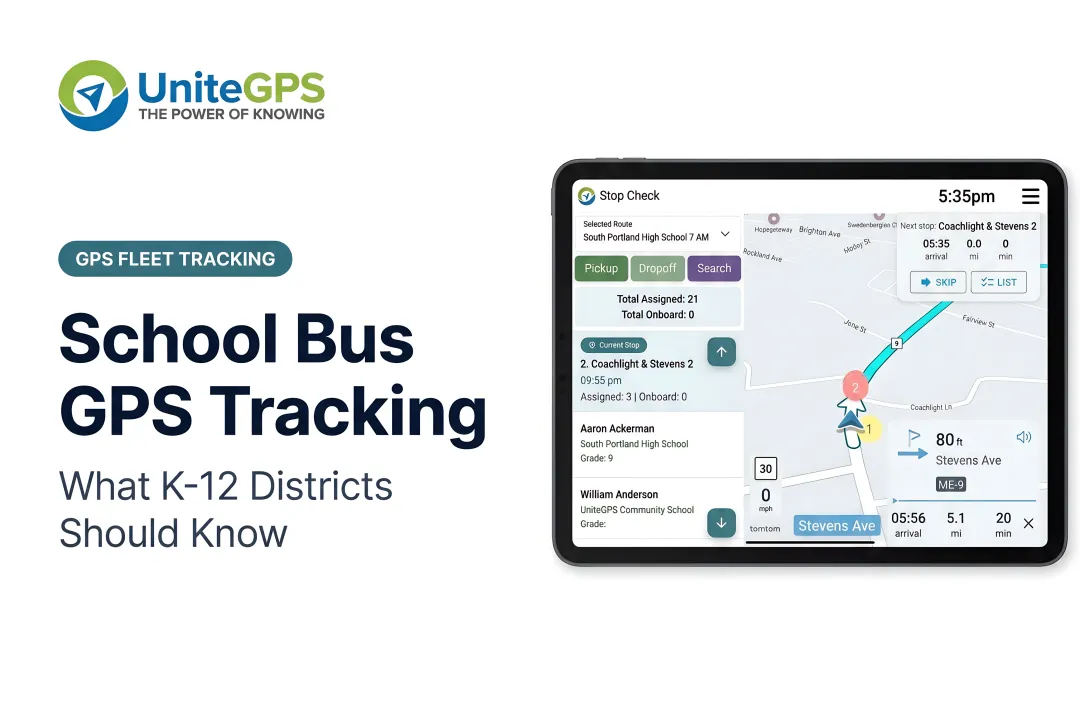
- Driver tablets mounted in the bus, running scanning software alongside navigation
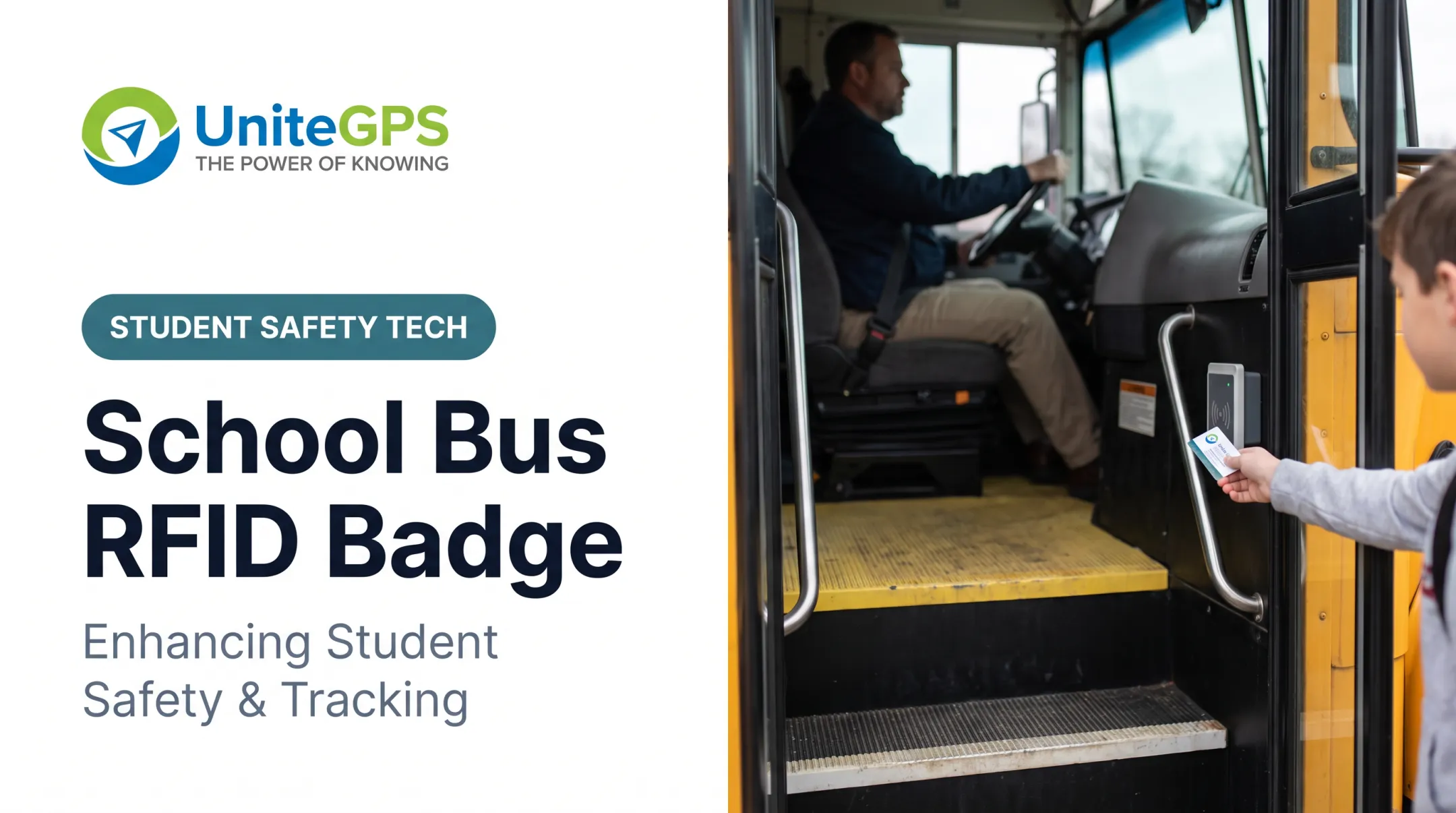
- Barcode scanning when students tap a physical card or scan a barcode image at boarding and exit
- Cloud dashboard for administrators to view ridership data across the fleet
- SIS synchronization that pulls enrollment, address, and school-assignment updates automatically
UniteGPS's Crosswalk platform, for example, uses this exact model: barcode scans create timestamped daily ridership records showing which student rode which bus, and when. The system can still track a student who forgets their card or hops on an unexpected bus.

Staying Current With Enrollment
Districts using platforms like Crosswalk sync directly with major SIS platforms — including PowerSchool, Skyward, and Infinite Campus — so a student transfer, address change, or new enrollment flows into routing and ridership tools automatically. No manual re-entry required.
No solid nationwide figure tracks how many U.S. districts still use paper ridership logs; recent industry surveys don't break that out. Procurement documents make the direction clear. A 2025 Johnston County Public Schools RFP, for example, treats digital fields like timestamps, scan coordinates, and boarding/exiting events as baseline requirements, not extras.
Why Electronic Rosters Matter for Transportation Departments
Safety and Faster Emergency Response
Knowing in real time which students boarded which bus shrinks the window for missing-child incidents. A 2026 Florida Auditor General examination found 39 missing driver reports affecting 362 students, plus 886 students with unsupported ridership documentation in a single fiscal year. That's the kind of gap timestamped digital records are built to close.
Administrative Time and Medicaid Documentation
Eliminating manual data entry and paper reconciliation frees staff time for higher-value work. Tim Lyons, Director of Transportation at Benton Community School District, said Crosswalk made it far easier to see exactly where buses and students are.
Accurate ridership data also supports Medicaid reimbursement claims for special education transportation. State agencies in Iowa and Minnesota require documented service dates, destinations, and retained trip logs, a paper trail that scan-verified records make far easier to produce. UniteGPS's IEP/Medicaid Invoicing tool combines scan-verified rides with mileage data into billing-ready reports.
Fewer Parent Calls, Easier Substitute Coverage
- Self-service tracking apps let parents check bus location and arrival status without calling the office
- One Edulog-using district reported a 75% drop in parent phone calls after adopting a tracking app (one case, not a guarantee)
- Substitute drivers get turn-by-turn navigation paired with the roster: stop order, student names, and destinations on the tablet

Roster data also feeds directly into GPS tracking, giving parents and administrators one unified view of a student's actual journey instead of two disconnected systems.
How Electronic Student Rosters Work Day-to-Day
The daily mechanics are straightforward:
- Student boards and scans a barcode (card or photo of the code) on the driver's tablet
- System logs the event instantly: time, bus, and student identity
- Exit scans capture drop-off the same way, closing the loop on that day's ride
- Exceptions (a student riding an unassigned bus, or forgetting their card) are still tracked, so nobody falls through the cracks
Administrators can pull up ridership records showing which students were on which bus and when. For live route status, dispatchers see a map with color-coded, real-time vehicle positions. UniteGPS updates bus locations every few seconds (five seconds on its GPS tier).
Those same scan events power automated parent notifications. When a student boards or exits, that record can trigger a scan-based alert to the parent app, confirming the ride happened. That goes a step beyond basic GPS-only tracking, which only shows bus location and ETA.

This is what UniteGPS's Crosswalk platform is built around—three capabilities in one system, rather than separate tools districts have to stitch together:
- SIS synchronization
- Tablet-based scanning
- GPS tracking
Electronic Rosters vs. Manual Tracking Methods
| Factor | Paper Rosters | Electronic Rosters |
|---|---|---|
| Real-time visibility | None | Live, updated instantly |
| Error risk | High (illegible handwriting, missed entries) | Lower (scan-based, timestamped) |
| Medicaid audit support | Difficult to substantiate | Timestamped, exportable records |
| Scalability | Breaks down as fleet grows | Scales across routes and buses |
| Reconciliation time | Manual, end-of-day | Automatic |
There's no controlled national study proving a specific error-reduction percentage between the two methods. But the operational logic holds up: a spreadsheet of scan events with timestamps is inherently easier to hand an auditor than a stack of clipboard sheets, some of which are inevitably missing a signature or two.
Data Privacy and Compliance Considerations
Digitizing student location and ridership data raises legitimate FERPA questions. Districts should verify, before signing with any vendor:
- Role-based access controls: staff and parents see only what's relevant to their responsibility
- Authentication requirements for anyone accessing student records
- A formal Data Processing Agreement establishing the vendor as a FERPA "school official" with limited, legitimate educational interest
UniteGPS, for instance, structures Crosswalk this way: the platform doesn't access grades, discipline records, or medical data, only what's needed for transportation.
It applies granular role-based access, requires multi-factor authentication, and encrypts data both in transit and at rest. The company also runs annual third-party audits and commits to notifying districts within 24-48 hours of any security incident.

Don't take a vendor's "FERPA-compliant" label at face value. Ask for the Data Processing Agreement and the specific technical controls behind it.
Choosing the Right Electronic Roster Solution
When evaluating vendors, prioritize:
- SIS integration — does it sync automatically with your platform (PowerSchool, Skyward, Infinite Campus, etc.)?
- Driver usability — can a substitute figure out the tablet without training?
- Dashboard quality — is route status and ridership data actually visible in real time?
- Support responsiveness — can you reach live support, or are you stuck in ticket queues?
Before committing, run a trial. Test the integration against your existing routing and GPS setup before signing a multi-year contract.
UniteGPS offers a 90-day free trial with no credit card required. Districts can test route building, SIS sync, and dashboard tools before scaling up to tablet-based ridership tracking.
Frequently Asked Questions
How can I track my child's school bus?
Most districts with electronic ridership systems offer a parent app or portal with live bus location plus boarding and drop-off alerts. Ask your district transportation office how to get access.
What is an electronic student roster in school transportation?
It's a digital, real-time record of who boarded which bus and when, synced with district enrollment data. Unlike a static seating chart, it logs actual events, not just assignments.
How does an electronic roster improve student safety?
Real-time boarding and drop-off checks lower the chance a missing-child incident goes unnoticed. Timestamped records also help staff respond faster when something goes wrong.
Can electronic rosters help with Medicaid reimbursement?
Yes. Time-stamped ridership records provide documentation that state Medicaid agencies often require for special education transportation reimbursement claims, replacing reliance on paper logs.
Do electronic roster systems integrate with school SIS platforms?
Leading platforms sync automatically with SIS data. UniteGPS's Crosswalk, for example, integrates with PowerSchool, Skyward, and Infinite Campus to keep rosters current with enrollment changes.
Is student data safe on electronic roster platforms?
FERPA-compliant platforms restrict access with role-based permissions and require authentication to view student records. Ask vendors for a Data Processing Agreement and security audit history before you sign.