Standing at a dark bus stop at 6:45 AM, watching your breath fog up while you wonder if the bus is two minutes away or twenty, is a specific kind of parenting misery. It's also increasingly avoidable.
Parent demand for this kind of visibility isn't small. A 2021 Harris Poll commissioned by Zonar found that 75% of the 564 U.S. parents surveyed wanted mobile, real-time updates on their child's school bus journey. The demand is clear. The execution, though, varies a lot.
"Tracking a bus" sounds like one simple thing. In practice, results depend on whether your district has GPS hardware installed, which software platform manages it, and how well that system is configured. This guide walks through exactly how to start tracking, what you need on both ends, the factors that affect accuracy, common mistakes, and backup options if your district doesn't have a system yet.
Key Takeaways
- District-provided GPS tracks the actual bus, not just your child's phone
- Setup usually needs a district code or student ID, a smartphone, and a parent account
- Accuracy depends on GPS ping rate, cellular coverage, and route sync quality
- Personal GPS trackers and phone apps work as backups, but have real limitations
- Always confirm a platform is FERPA-compliant before entering your child's information
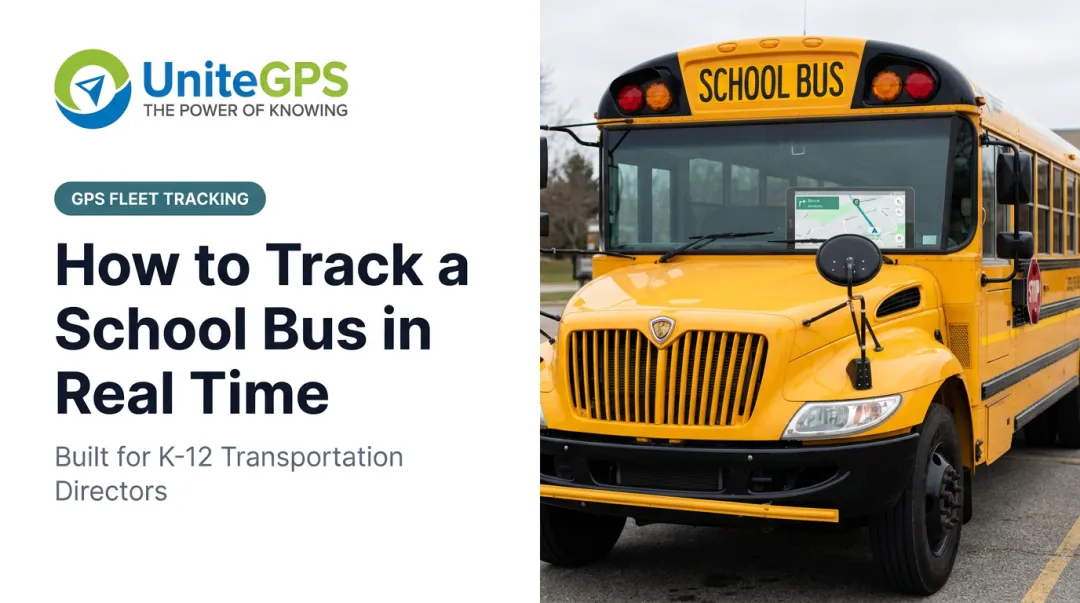
How to Track a School Bus in Real Time
Most districts today rely on a dedicated GPS platform rather than expecting parents to piece something together themselves. The steps below apply to the majority of parent-facing tools on the market, including platforms like UniteGPS's Crosswalk parent app.
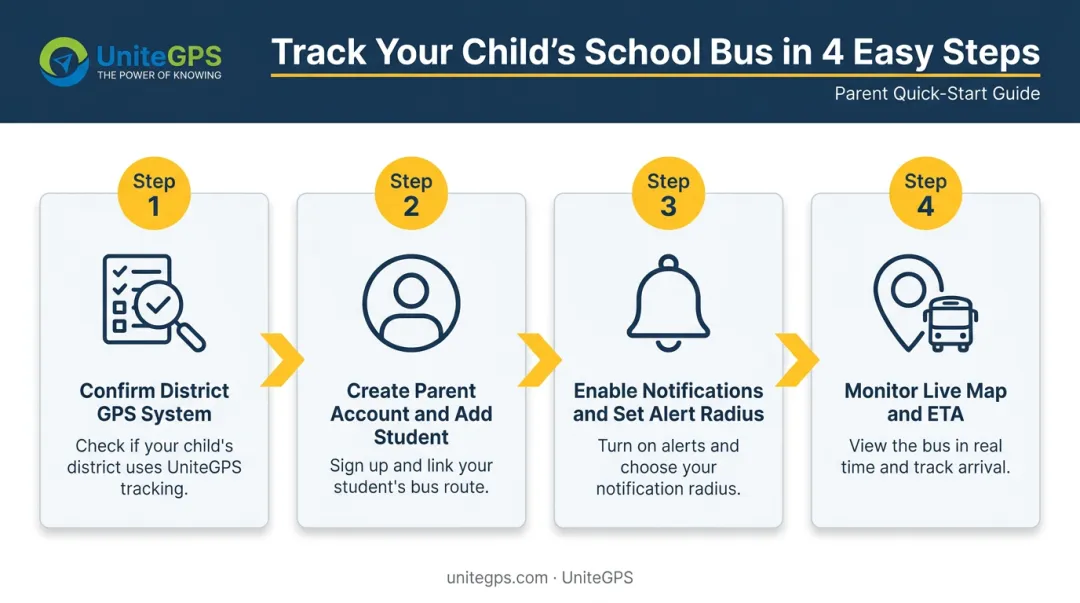
Step 1: Confirm Your District Offers a GPS Tracking System
Check your district's transportation page first. These pages usually list the platform name and any district code needed to sign up. If you can't find it online, call the transportation office directly.
If your district doesn't have a system yet, ask. Modern platforms have gotten a lot more affordable, and many now offer month-to-month plans with no long-term contract, so even a small district with a handful of buses can try one out with minimal financial commitment. Free trial periods have also become common, letting transportation directors test a platform with real routes and real buses before committing to a purchase.
Step 2: Create Your Parent Account and Add Your Student
Sign-up typically requires:
- A district code or platform name
- Your student's ID number or last name exactly as it appears in the school's records
- An email address or phone number for notifications
Watch out for the small stuff. Hyphens in a student ID, an extra space, or a name that doesn't quite match what's in the school's system are common reasons accounts fail to sync with the correct bus route. Many districts now pull parent contact details directly from enrollment records instead, which cuts down on this kind of error.
Step 3: Enable Real-Time Notifications and Set Your Alert Radius
Turn on push notifications so you get an alert when the bus is approaching, not just when you happen to check the app. Most platforms let you set a geofence radius around your stop, so the alert fires when the bus is a set distance away rather than only after it's already pulled up.
Before entering any student information, confirm the platform follows FERPA standards. This matters more than a marketing badge suggests: FERPA violations can expose student location data and create real liability for the district.
Step 4: Monitor the Live Map and Interpret ETA Updates
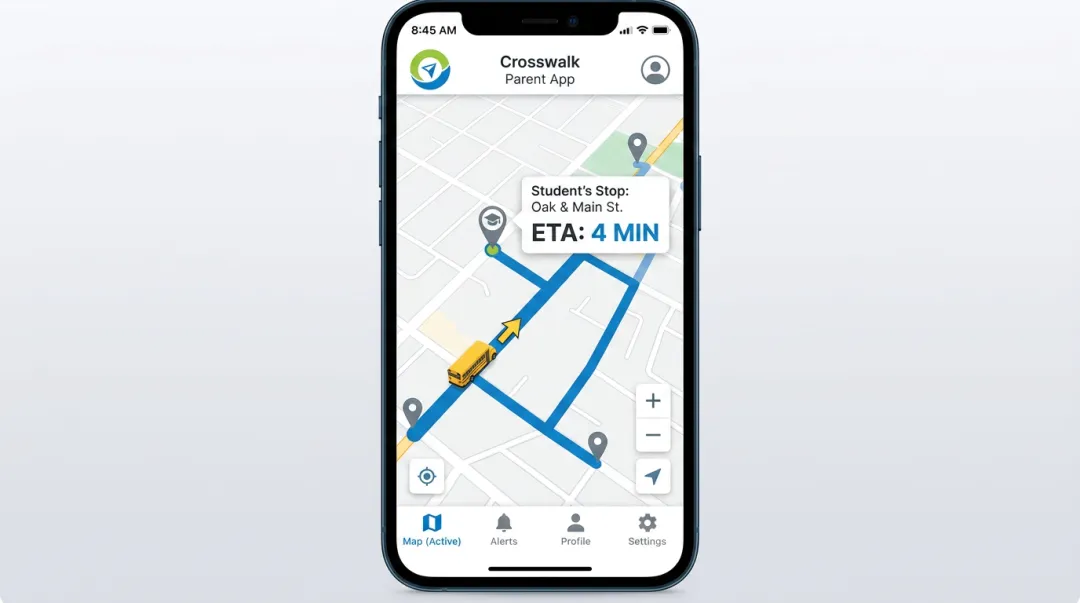
The live map typically shows a moving bus icon, an ETA countdown, and sometimes a stop sequence. Refresh rates vary by platform. Crosswalk, for example, updates bus location every 5 seconds, which keeps the icon's movement close to real time rather than jumping in chunks.
If the bus is running late or a substitute driver has taken over the route, look for a delay or reroute banner within the app before assuming the ETA is wrong.
What You Need Before You Can Track a School Bus in Real Time
Whether tracking actually works comes down to two sides of the equation: what the district has set up, and whether your own account and device are ready.
District-Side Requirements
Districts need GPS hardware installed on each bus plus a backend software platform to manage routing and live positioning. Integrated systems like UniteGPS's Crosswalk combine GPS tracking, routing, and a parent app into one platform. This all-in-one approach is why more than 100 districts nationwide now run on Crosswalk instead of juggling separate tools for each function.
Districts also need reliable cellular connectivity along bus routes. This matters especially in rural areas, where signal gaps can interrupt the flow of live position data even when the hardware itself is working fine.
Parent-Side Requirements
On your end, you'll need:
- A smartphone, tablet, or computer with internet access
- The district code or platform name
- Your student's ID number or enrollment information
That's typically the whole list. Most of the technical heavy lifting happens on the district's side.
Compliance and Data Privacy Readiness
Once your account and device are squared away, there's one more readiness check worth doing: confirming how the platform handles your child's data. Before entering your child's name, address, or route information into any app, confirm the platform follows student data protection standards. U.S. Department of Education's FERPA vendor guidance specifies that a vendor qualifying under FERPA's school-official exception must perform an institutional function, stay under the district's direct control, use records only for authorized purposes, and never redisclose personal information without permission.
A vendor simply claiming to be "FERPA compliant" isn't the whole story. It depends on the actual contract between the district and the provider, including data ownership terms and what happens to that data if the contract ends.
Key Factors That Affect Real-Time Bus Tracking Accuracy
Even with a system fully in place, several technical variables determine how reliable that live map actually is. Most parents never think about these until something looks off.
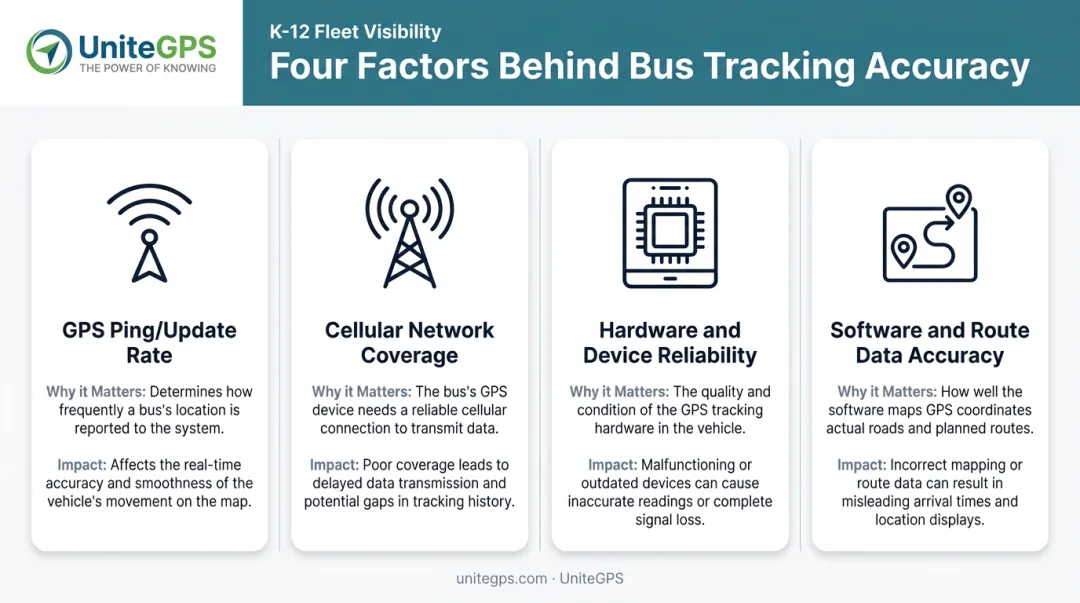
GPS Ping/Update Rate
Why it matters: How often the bus's GPS unit reports its location determines how "live" the map genuinely feels. A device reporting every 15 seconds produces a distinctly choppier experience than one reporting every 5 seconds.
Impact: Slower ping rates make the bus icon appear to jump or lag behind where the vehicle actually is, which can make an on-time bus look late.
Cellular Network Coverage Along the Route
Why it matters: Rural or low-signal stretches can create gaps in transmission, even when the GPS hardware is functioning correctly.
Impact: The bus icon may freeze or vanish from the map until signal returns. Some systems store location data locally and upload it once coverage resumes, meaning the map catches up rather than staying continuously live.
Hardware and Device Reliability
Why it matters: The quality of the onboard GPS unit affects how consistently it reports data over time.
Impact: Older or poorly maintained hardware leads to more dropped connections and less trustworthy ETAs, especially on longer routes.
Software Platform and Route Data Accuracy
Why it matters: The tracking software has to sync properly with route schedules, including last-minute detours or substitute drivers covering an unfamiliar path.
Impact: Platforms with strong route optimization produce noticeably better ETAs.
A peer-reviewed 2019 study of Boston Public Schools published in PNAS found that route optimization software cut the district's bus fleet by 50 vehicles and saved roughly $5 million annually. Average student ride time held steady at approximately 23 minutes.
That's one real-world example, not a universal guarantee, but it shows what well-synced routing software can do beyond just displaying a moving dot on a map.
Common Mistakes and Troubleshooting Tips
Most tracking frustrations trace back to setup errors or a misunderstanding of what the system can actually show.
Common Mistakes to Avoid
- Not enabling push notifications, then missing arrival alerts entirely
- Entering a student's name or ID incorrectly during sign-up, preventing the account from syncing to the right route
- Expecting a personal GPS device or phone app to behave like a dedicated bus tracking system built specifically for route data
Troubleshooting Common Problems
| Problem | Likely Cause | What to Check |
|---|---|---|
| Bus icon frozen or not moving | Device offline, route not yet started, or substitute bus lacks an active tracker | Contact the transportation office to confirm route status |
| Notifications aren't arriving | Phone notification settings off, or geofence radius set too narrow | Review app permissions and widen the alert radius |
| ETA inaccurate or bus arrives much later | Traffic, weather, or an unplanned route change | Check the app for a delay or reroute alert banner |
Alternative Ways to Track Your Child on the Bus
If your district hasn't adopted a GPS tracking platform yet, a few backup options exist. Each comes with real trade-offs compared to a dedicated bus tracking system.
| Method | Best For | Key Trade-Off |
|---|---|---|
| Personal GPS wearables (AngelSense, Jiobit) | Direct visibility when no district system exists | Tracks the child, not the bus; depends on the device staying charged and carried |
| Smartphone location-sharing (Life360, Google Family Link) | A quick, no-cost option if your child already carries a phone | Relies on the phone being powered on and connected; no bus-specific delay data |
| RFID boarding systems | Confirming when a student boarded or exited the bus | Doesn't show the bus's live position between stops |
None of these fully replace a bus-mounted GPS feed. They tell you where a wearable, phone, or scanned card is, not necessarily where the bus itself sits on its route.
If your school lacks any tracking system, consider bringing the idea to your transportation office.
UniteGPS's Crosswalk platform offers a 90-day free trial with no credit card required, and the setup team builds routes for the district at no cost. That's a low-risk way for administrators to evaluate whether a system fits before committing to anything.
Frequently Asked Questions
How can I track my kid on the bus?
The most reliable method is a district-provided GPS tracking app that follows the bus itself. Personal GPS devices or phone apps work as backups, but they only show where a device is, not the bus's actual position.
How do I track when a bus is coming?
District tracking apps show a live map with a moving bus icon and an ETA countdown. Turn on push notifications so you get an alert as the bus nears your stop instead of checking the app constantly.
Is school bus tracking free for parents?
Most district-provided tracking apps are free to parents, since the district licenses the platform directly. Personal GPS wearables and phone-based alternatives usually involve a device purchase and monthly subscription.
Does bus tracking work without wifi or data?
You need an internet connection to load live updates, but standard cellular data works fine for most apps. Wifi isn't required once you're away from home.
What can I do if my school doesn't offer a bus tracking app?
Ask your transportation office about adopting a system like UniteGPS's Crosswalk platform, which offers tiered pricing built for districts of any size. In the meantime, a personal GPS wearable or phone location-sharing app can serve as a stopgap.
How accurate is real-time school bus tracking?
Accuracy depends on the GPS ping rate and cellular coverage along the route. Most modern systems update location within seconds to a couple of minutes, though rural signal gaps can cause temporary delays.