Introduction
It's 7:45 AM, and a school registrar is fielding three problems at once: a parent asking why her son's bus never showed, a teacher who can't find a new student's schedule, and a state auditor requesting last month's attendance report. The answers live in four different spreadsheets and a filing cabinet.
This scenario plays out in district offices every day. A Student Information System (SIS) centralizes student data in one secure platform so districts aren't chasing answers across spreadsheets and filing cabinets.
Understanding what an SIS does—and doesn't do—matters for any district evaluating school technology. This guide breaks down the core features, how an SIS differs from an LMS or ERP, and why SIS data increasingly connects to other district systems, including transportation.
Key Takeaways
- An SIS centralizes enrollment, attendance, grades, and scheduling data across the full academic lifecycle
- An SIS is distinct from an LMS (instructional content) and an ERP (finance/HR operations)
- Role-based portals give administrators, teachers, parents, and students access to relevant information only
- Modern SIS platforms sync with tools like transportation software to cut manual data entry
What Is a Student Information System (SIS)?
A Student Information System is a centralized digital platform that schools and districts use to collect, store, and manage student data from enrollment through graduation. It replaces the paper files and disconnected spreadsheets that many offices still rely on for day-to-day record-keeping.
An SIS actively drives daily workflows rather than storing data passively. Schools use it for attendance logging, class scheduling, and real-time state reporting.
Core Data an SIS Manages
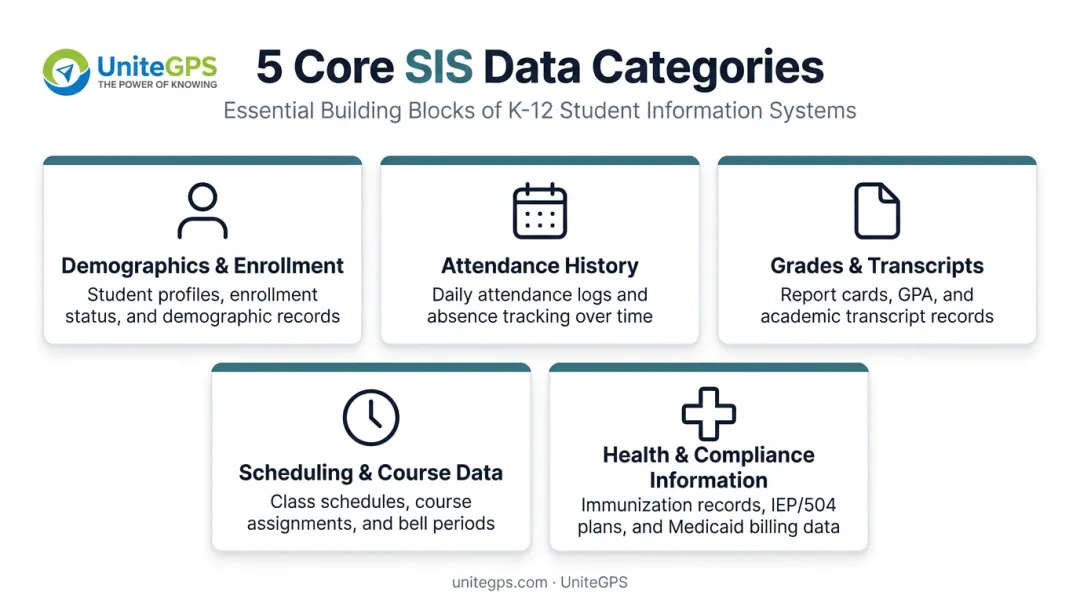
Most K-12 platforms organize student information into these categories:
- Demographics and enrollment records - names, addresses, guardian contacts, enrollment dates
- Attendance history - daily logs used for both compliance and instructional tracking
- Grades and transcripts - current coursework plus historical academic records
- Scheduling and course data - class assignments, teacher rosters, period-by-period timetables
- Health and compliance information - immunization records, health alerts, and required state data fields
SIS in K-12 Schools Specifically
For K-12 districts, the SIS functions as the system of record for compliance reporting and attendance-based funding calculations. Districts pull enrollment and attendance figures directly from it to meet state requirements.
Because the SIS holds the most current, verified student records, it typically becomes the "source of truth" that other school systems, like scheduling tools or transportation software, pull from rather than maintaining separate copies of the same data.
Key Features and Capabilities of a Modern SIS
A modern SIS covers far more ground than record-keeping. Here's what districts should expect from a current platform.
Enrollment and registration management. Digital enrollment forms and bulk record imports eliminate the paperwork stacks that new-student intake used to create. Families complete forms online, and staff import verified records instead of retyping them.
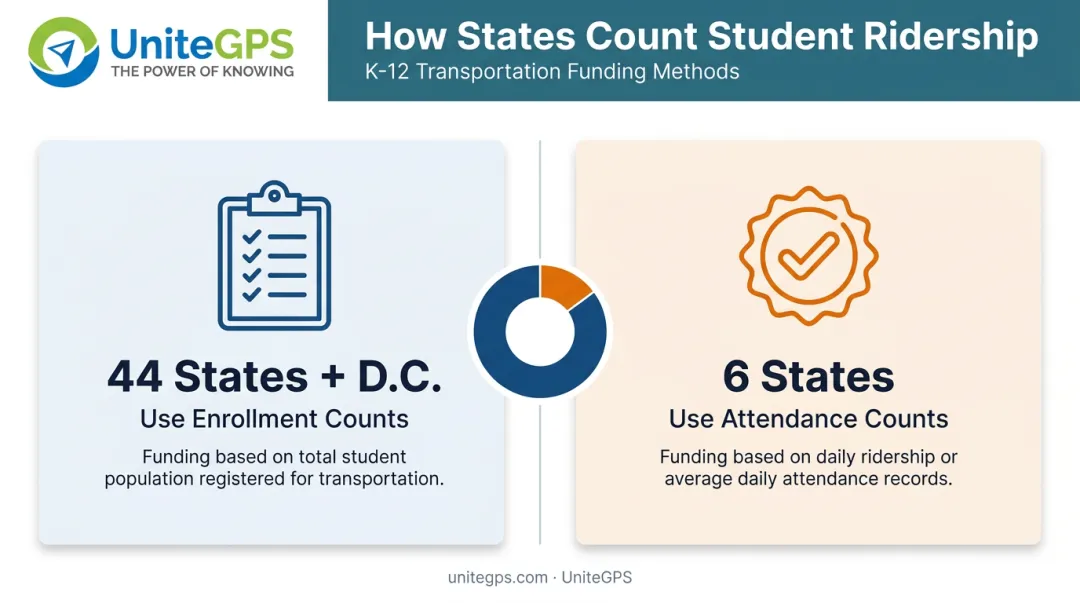
Attendance tracking and reporting. Real-time attendance logging ties directly into state funding formulas in many states. According to the Education Commission of the States' 2024 funding comparison, 44 states and Washington, D.C. use enrollment counts, while 6 states use attendance counts, to calculate per-student funding.
Inaccurate records carry real financial consequences. An Ohio Auditor of State investigation found that Capella High School owed the state $18,384 after an audit revealed overstated attendance.
Gradebook and transcript management. Automated grade calculations remove manual math errors, while historical grade tracking lets staff generate a complete transcript in seconds instead of pulling files from storage.
Scheduling and course management. The system flags conflicts before they derail the first week of school—two required courses in the same period, or a teacher double-booked across sections.
Communication portals. Built-in messaging tools and parent/student portals cut down the volume of one-off phone calls and emails staff would otherwise field about grades, absences, or schedule questions.
SIS vs LMS vs ERP: Key Differences
Districts often treat these three systems as interchangeable, but each solves a different problem.
| System | Primary Focus | Example Use Case |
|---|---|---|
| SIS | Student records and administrative data | Enrollment, attendance, transcripts |
| LMS | Teaching and learning content | Assignments, lesson delivery, coursework |
| ERP | Institution-wide business operations | Payroll, finance, HR management |
A Learning Management System (LMS) is built for instruction, not administration. Teachers post coursework and collect assignments there; enrollment and transcripts stay in the SIS.
An ERP (Enterprise Resource Planning) system runs district business operations such as finance, payroll, and HR. It does not hold individual student academic records.
Many districts run all three together. The SIS acts as the connective record system, feeding accurate student data to the LMS for rosters and grade sync, and to the ERP for enrollment-linked budgeting and staffing.
Benefits of an SIS for Administrators, Teachers, and Families
For Administrators and District Leaders
Centralized data cuts duplicate entry and the reporting errors that come from juggling multiple spreadsheets.
District leaders typically gain:
- One verified source for enrollment and student records
- Faster compliance and audit reporting to the state
- Less time cross-referencing spreadsheets before submissions
For Teachers
Automated gradebooks, digital attendance, and built-in messaging pull teachers out of paperwork and back into instruction.
Day-to-day wins include:
- Enter grades once instead of in a paper log and a spreadsheet
- Take attendance digitally without re-keying later
- Message families from the same system used for grades
For Parents and Students
Most modern SIS platforms include secure student and parent portals or mobile apps. Access is role-based, so each user sees only what they should.
Families can typically:
- View grades, attendance, and schedules in real time
- Confirm whether a student was marked present without calling the office
- Stay current on school updates without waiting on paper notices
How SIS Connects to Other School Systems (Including Transportation)
SIS platforms no longer operate in isolation. The broader trend across K-12 technology is interoperability, where systems exchange data automatically rather than requiring staff to manually bridge the gap.
CoSN's guide to interoperability standards notes that the SIF standard specifically enables student information systems and transportation systems to interact and share data. SIS-to-transportation exchange sits in a recognized standards category.
Why Transportation Depends on Accurate SIS Data
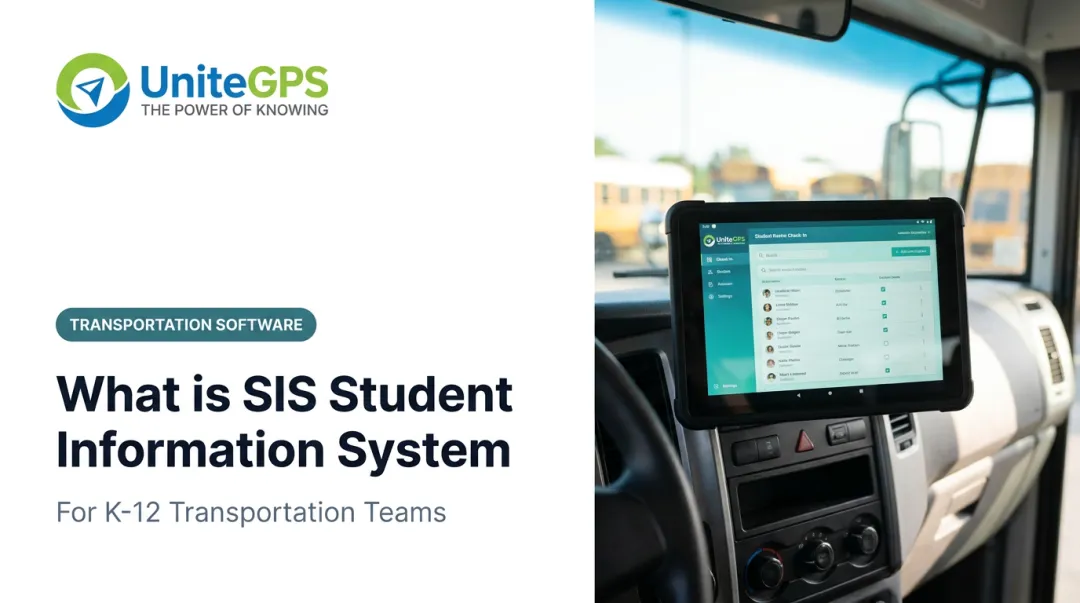
Transportation departments depend on SIS data for core daily operations. Student addresses, school assignments, and enrollment status all feed directly into bus routing and eligibility decisions. When a student moves mid-year or transfers schools, that change needs to reach the transportation system just as fast as it reaches the front office.
Without a direct connection, districts face real operational risk:
- Manual re-entry of student rosters every time enrollment changes
- Missed mid-year address or school changes that routing staff never see
- Outdated rider lists that create genuine safety concerns on daily routes
How UniteGPS Handles This
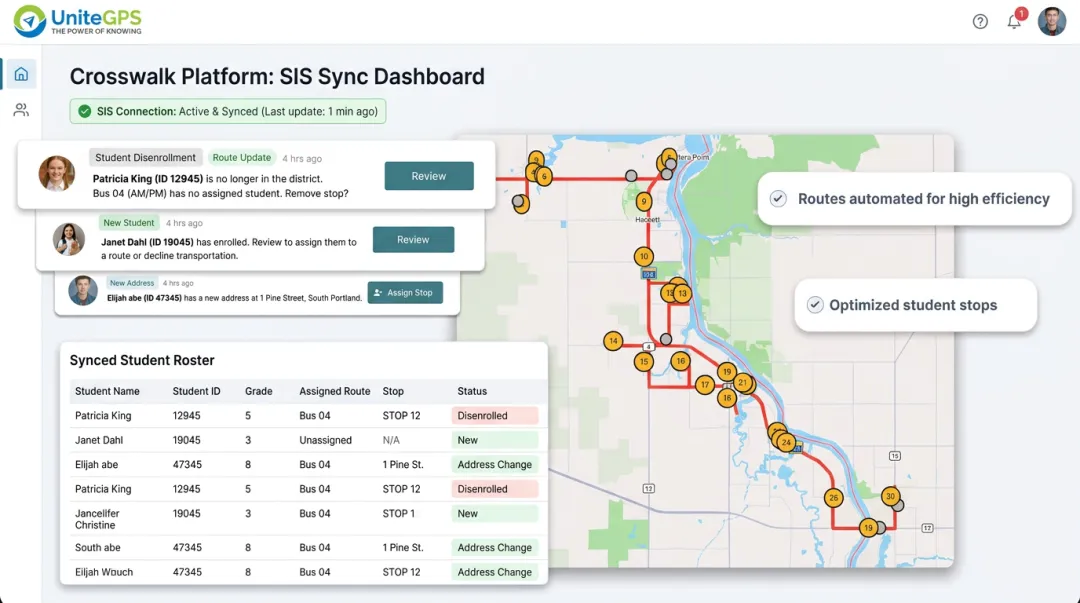
UniteGPS's SIS integration, built into the Crosswalk platform, syncs directly with PowerSchool, Skyward, and Infinite Campus, along with broader compatibility across other major K-12 systems. The integration keeps ridership and routing records current without manual data entry. It automatically pulls:
- Student name and home address
- Grade level and route assignment
- Parent contact information
Academic and health records never enter the sync. Grades, IEPs, and medical data stay out of scope entirely. A formal Data Processing Agreement establishes UniteGPS as a FERPA "school official," with access limited strictly to transportation-relevant fields.
Districts see fewer parent calls to the transportation office, safer routes built on current rider data, and less admin work when routing software picks up SIS changes on its own.
Frequently Asked Questions
What is the difference between a student information system (SIS) and an LMS or ERP?
- SIS: Manages student records and administrative data
- LMS: Manages teaching and learning content such as assignments and lessons
- ERP: Manages institution-wide finance and HR operations
Can students access their information through a student information system (SIS)?
Yes. Most SIS platforms offer student and parent portals where users can view grades, attendance, and schedules based on their role permissions.
What is a student information system (SIS) in high school?
A high school SIS tracks course credits, GPA, and transcripts needed for graduation requirements and college applications.
What is an example of a student information system?
Well-known K-12 SIS platforms include PowerSchool, Infinite Campus, and Skyward. All cover core functions such as enrollment, attendance, and grading.
Is an SIS the same as a student database?
No. A database only stores data passively. An SIS actively manages workflows built around that data, including attendance logging, grade calculations, and state reporting.
Does an SIS integrate with transportation or bus routing software?
Yes. Many modern transportation platforms, including UniteGPS, sync directly with a district's SIS to automatically update student ridership and routing data in real time.