Introduction
A parent checks their phone. The app says "bus arriving in 4 minutes." They glance out the window, then wonder: is the driver looking at that same map?
Probably not. Most people assume driver navigation and location tracking are the same system. They're not.
One tracks the bus automatically, feeding data to parents and dispatchers. The other helps the driver find the route—and that piece varies wildly by district. Some drivers navigate by tablet. Others still use routes they memorized years ago.
Adoption of rider-tracking technology has climbed fast — parent-app use among surveyed districts jumped from 39% in 2023 to 68% in 2025, according to School Bus Fleet's annual survey. That growth means more families than ever have some form of visibility into their child's ride.
This guide separates the two systems, explains cell phone rules for drivers, and walks through how location data travels from a satellite to a parent's phone screen.
Key Takeaways
- GPS tracking runs automatically on most modern buses, with zero input from the driver
- Driver navigation varies by district: printed sheets, memorized routes, or tablet-based turn-by-turn directions
- Personal cell phone use is restricted separately from any mounted, employer-managed navigation device
- Tracking data supports parent visibility, safety accountability, and compliance recordkeeping
GPS on School Buses: What Actually Runs Automatically
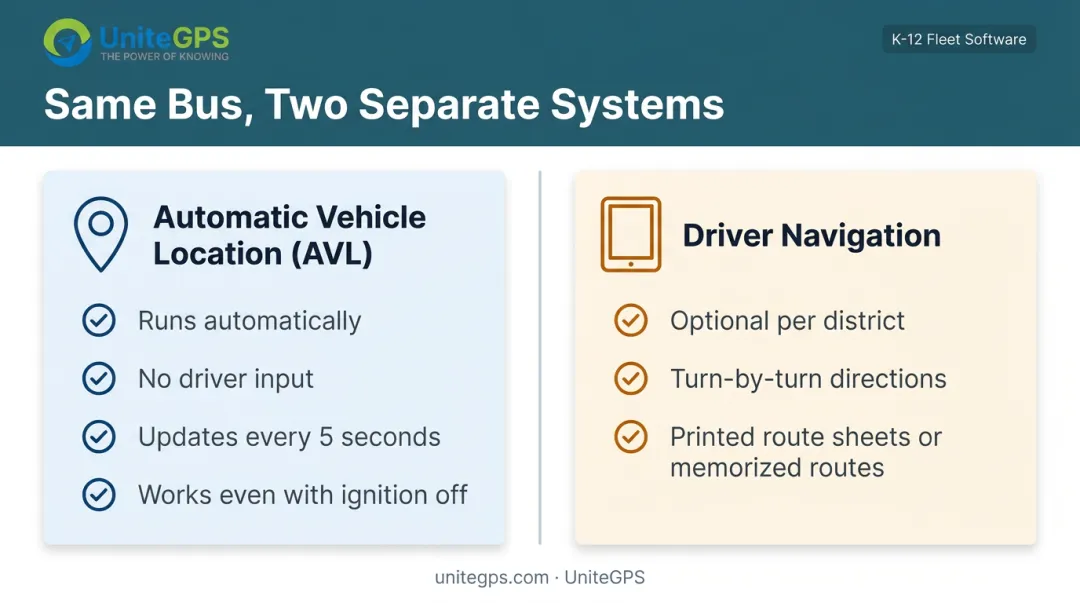
Yes, most school buses run GPS. But "GPS on a bus" actually describes two separate layers:
- Automatic Vehicle Location (AVL) hardware: tracks the bus continuously, no driver input needed
- Driver-facing navigation: an optional tool that some districts add, others skip
The AVL unit starts transmitting coordinates the moment the bus powers on. On platforms like UniteGPS's Crosswalk system, tracking works even when the ignition is off, sending location updates roughly every 5 seconds to dispatchers and parent apps. There's no login screen, no button the driver presses. It just runs.
Adoption Is Growing, But Not Universal
Rider-tracking and parent-app adoption among surveyed school districts has climbed sharply: 39% in 2023, 48% in 2024, and 68% in 2025, per School Bus Fleet's 2025 district survey. That's a respondent-level trend, not a claim that every bus nationwide is equipped, but it shows where the industry is heading.
Navigation Is a District Choice, Not a Skill Gap
Plenty of veteran drivers still rely on printed route sheets or routes they've simply memorized. This isn't a technology failure or a sign the driver is behind the times. It's a budget and vendor decision made at the district level.
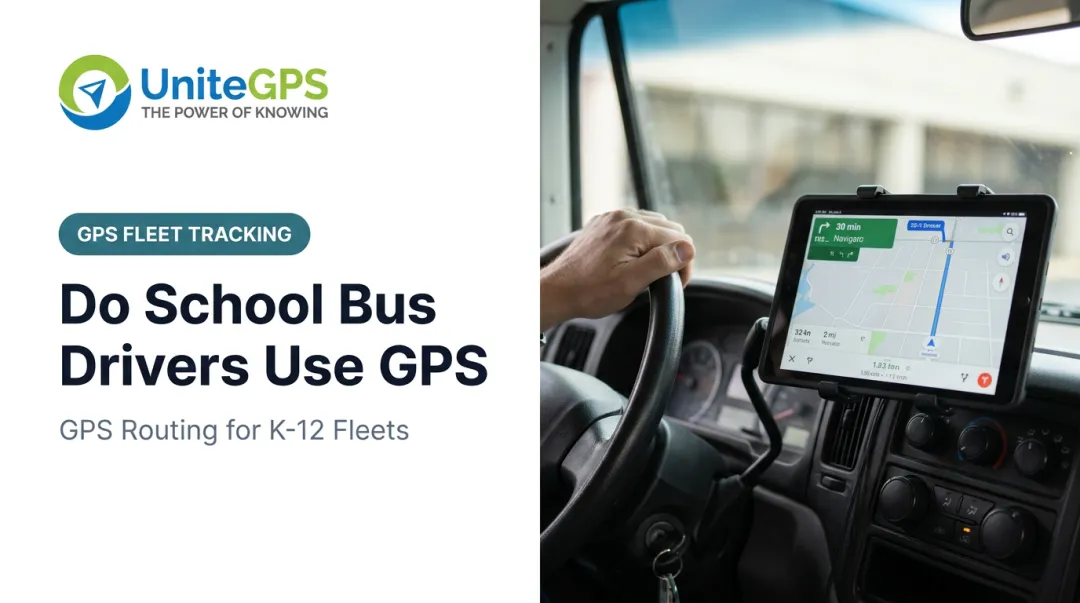
A growing number of districts add driver tablets with:
- Spoken turn-by-turn directions
- Live route maps showing each stop
- Student rosters tied to each stop
A driver not glancing at a screen tells you nothing about whether the bus is being tracked. The two systems run independently. A bus with a driver using a paper route sheet can still be broadcasting its exact position to a parent's phone in real time.
How School Bus GPS Tracking Works Step-by-Step
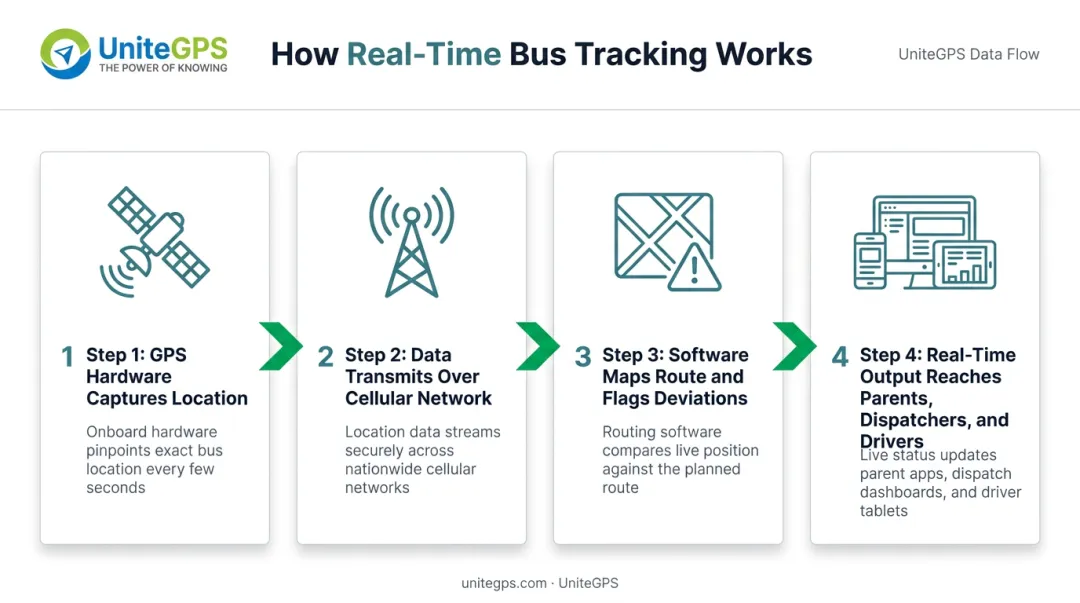
Getting from a satellite signal to a parent's phone screen takes seconds, but it passes through several distinct stages. Here's the full pipeline.
Step 1: GPS Hardware Captures Location
A small receiver mounted on the bus continuously calculates coordinates, speed, and heading using satellite signals. No manual step. No driver interaction. It's passive hardware doing its job in the background the entire time the vehicle is active.
Step 2: Data Transmits Over the Cellular Network
The receiver sends location data to a cloud platform at intervals that vary by vendor. Some systems update every few seconds, others on a longer cycle. UniteGPS's Crosswalk platform, for example, pushes updates every 5 seconds, which is frequent enough to show a bus's live movement rather than a rough approximation.
One real-world catch: rural cellular dead zones can create temporary tracking gaps. Some systems handle this by storing data locally on the device and syncing it once connectivity returns, so the historical record stays intact even if live tracking briefly drops.
Step 3: Software Maps the Route and Flags Deviations
The platform compares the bus's live position against its planned route and schedule. When something's off, it triggers alerts:
- Geofence alerts when a bus enters or exits a defined boundary
- Speed alerts when a vehicle exceeds the posted limit
- Idle alerts when an engine runs without the bus moving, often used to control fuel costs
Stronger platforms take this further by syncing location data with Student Information Systems. UniteGPS's Crosswalk platform, for instance, connects with PowerSchool, Skyward, and Infinite Campus.
Student enrollment, addresses, and school assignments stay aligned with routing automatically, with no manual re-entry when a student transfers or moves.
Step 4: Real-Time Output Reaches Parents, Dispatchers, and Drivers
Processed data lands in three different places:
- Parent apps: ETAs, live location, boarding confirmations
- Dispatcher dashboards: fleet-wide oversight across every bus at once
- Driver tablets: navigation and alerts, where applicable
How precise is all this? Per GPS.gov's performance standards, civilian GPS service holds to roughly 8 meters of horizontal error 95% of the time, while a typical smartphone GPS chip performs closer to a 4.9-meter (16-foot) radius under open sky. That's precise enough to know which side of the street a bus is on, though accuracy dips near tall buildings or heavy tree cover.
Cell Phone and Device Rules for School Bus Drivers
Can a bus driver check a text at a red light? No — and this isn't just district policy. It's regulation.
Federal rules under 49 CFR 392.82 prohibit hand-held mobile phone use while driving a covered commercial vehicle, with an exception only for contacting emergency services. Many states layer their own school-bus-specific statutes on top of that.
Distracted driving isn't a hypothetical risk, either. Colorado State Patrol recorded 13 property or injury crashes involving school buses tied to distracted driving in 2025, up from 9 the year before. Attention behind the wheel matters even on short, familiar routes.
Here's the distinction that trips people up: an employer-installed, mounted tablet is not the same thing as a personal phone.
| Personal Cell Phone | Mounted Navigation Device |
|---|---|
| Prohibited while driving under distracted driving law | Managed work tool, installed by the district |
| Requires picking up or holding the device | Often includes hands-free, audible turn-by-turn guidance |
| No employer oversight or compliance controls | Built into district safety and compliance workflows |
A driver glancing at a dashboard-mounted tablet that reads directions aloud isn't violating the same rule that bans texting on a personal phone. The tools serve different purposes and carry different legal treatment.
Driver Tools vs. Parent Tracking Apps: Key Differences
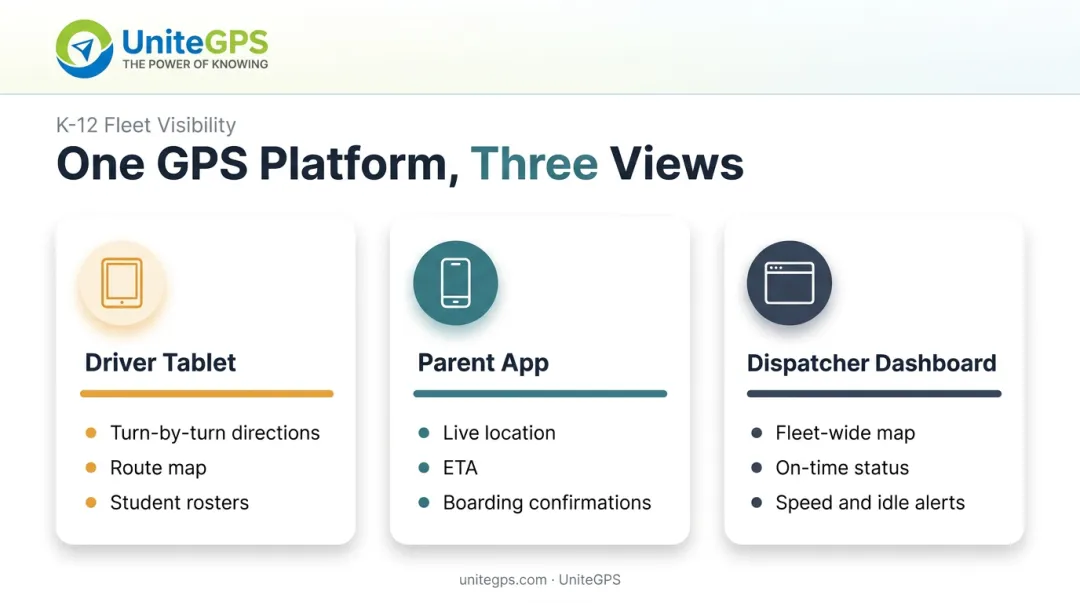
Same underlying GPS data. Completely different screens.
What a driver sees:
- Turn-by-turn directions with audible cues
- A live route map showing upcoming stops
- Student rosters tied to each stop
- Route deviation flags
What a parent sees:
- The bus's live location as it approaches their stop
- An estimated arrival time
- Boarding and deboarding confirmations (when ridership scanning is enabled)
Both views pull from the same location pipeline described earlier, but they're built for entirely different jobs. A driver needs operational guidance. A parent needs a reliable arrival window.
There's a third viewpoint most people never see: the dispatcher dashboard.
What transportation staff see:
- A fleet-wide map of every bus at once
- Color-coded on-time status by vehicle
- Speeding and idle alerts across the fleet
- Browser-based oversight (no in-vehicle hardware required to monitor)
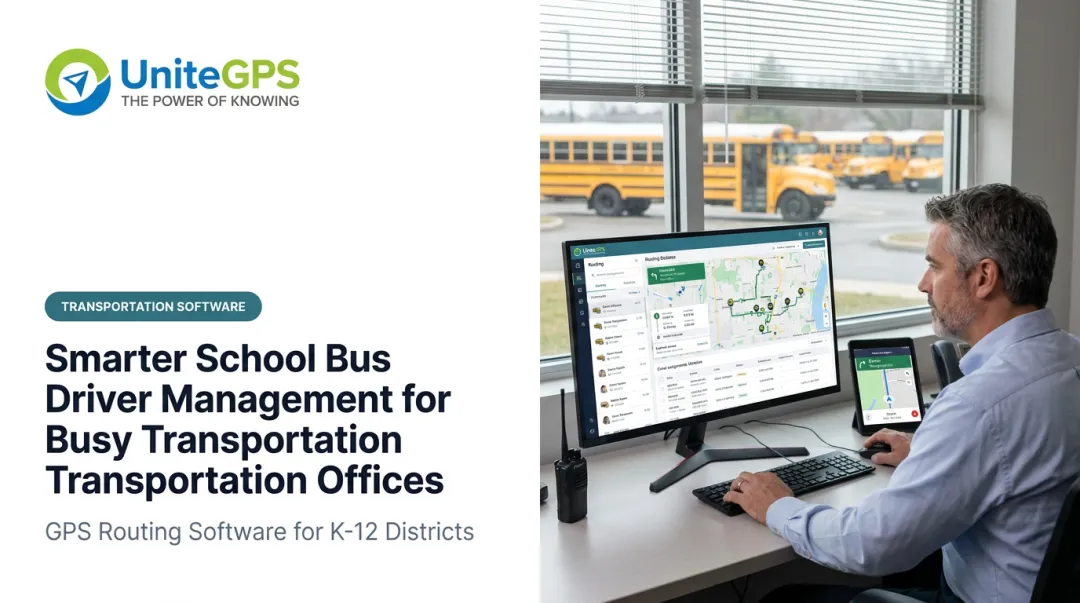
On UniteGPS's Fleet View, for example, that dashboard runs entirely in a browser—so administrators get real-time fleet control from the office, not from a single bus or a parent app.
Why GPS Tracking Matters for Districts and Families
Beyond knowing where a bus is right now, tracking data solves problems that used to eat hours of staff time.
Cost control. Historical GPS data reveals inefficient routes, excess idle time, and overlapping stops. UniteGPS offers a free Route Optimization Study that turns a district's own route history into a documented savings plan, useful for board presentations or budget defense season.
Accountability. When a parent insists the bus never showed, timestamped GPS logs settle it. As Tim Lyons, Director of Transportation at Benton Community School District, put it: "If a parent calls saying that the bus didn't stop, we can look and see that they were there. It has made a huge difference in our district."
Compliance. Timestamped ridership and location data supports:
- Medicaid reimbursement claims for special education transportation
- IEP transportation documentation
- State audit requirements
Fewer phone calls. Once parents can see the bus themselves, they stop calling to ask where it is. Districts using self-service tracking tools see the same result: real-time and historical data answers most questions before the phone rings.
Frequently Asked Questions
Do school bus drivers get a GPS?
The bus itself typically has automatic tracking hardware running regardless of the driver. Driver-facing navigation is a separate, optional tool that some districts provide and others don't.
Can school bus drivers talk on their cell phone?
Personal cell phone use while driving is generally prohibited under distracted driving laws, with narrow emergency exceptions. This is distinct from employer-installed, mounted navigation devices.
How do bus drivers know where they are going?
It depends on the tools their district provides. Drivers may use memorized routes, printed sheets, or tablet-based turn-by-turn navigation.
Does every school bus have GPS tracking installed?
Adoption is widespread but not universal. Many districts now run fleet GPS and rider-tracking apps, yet coverage still varies by budget, fleet size, and local priorities.
Can parents track their child's school bus in real time?
Most GPS-enabled districts offer a parent app showing live location and ETAs. Some platforms also send boarding and deboarding confirmations.
Is student GPS tracking data kept private and secure?
Reputable platforms maintain FERPA compliance, encrypt data in transit and at rest, and limit data collection to what's needed for transportation: never grades, health records, or IEP academic content.