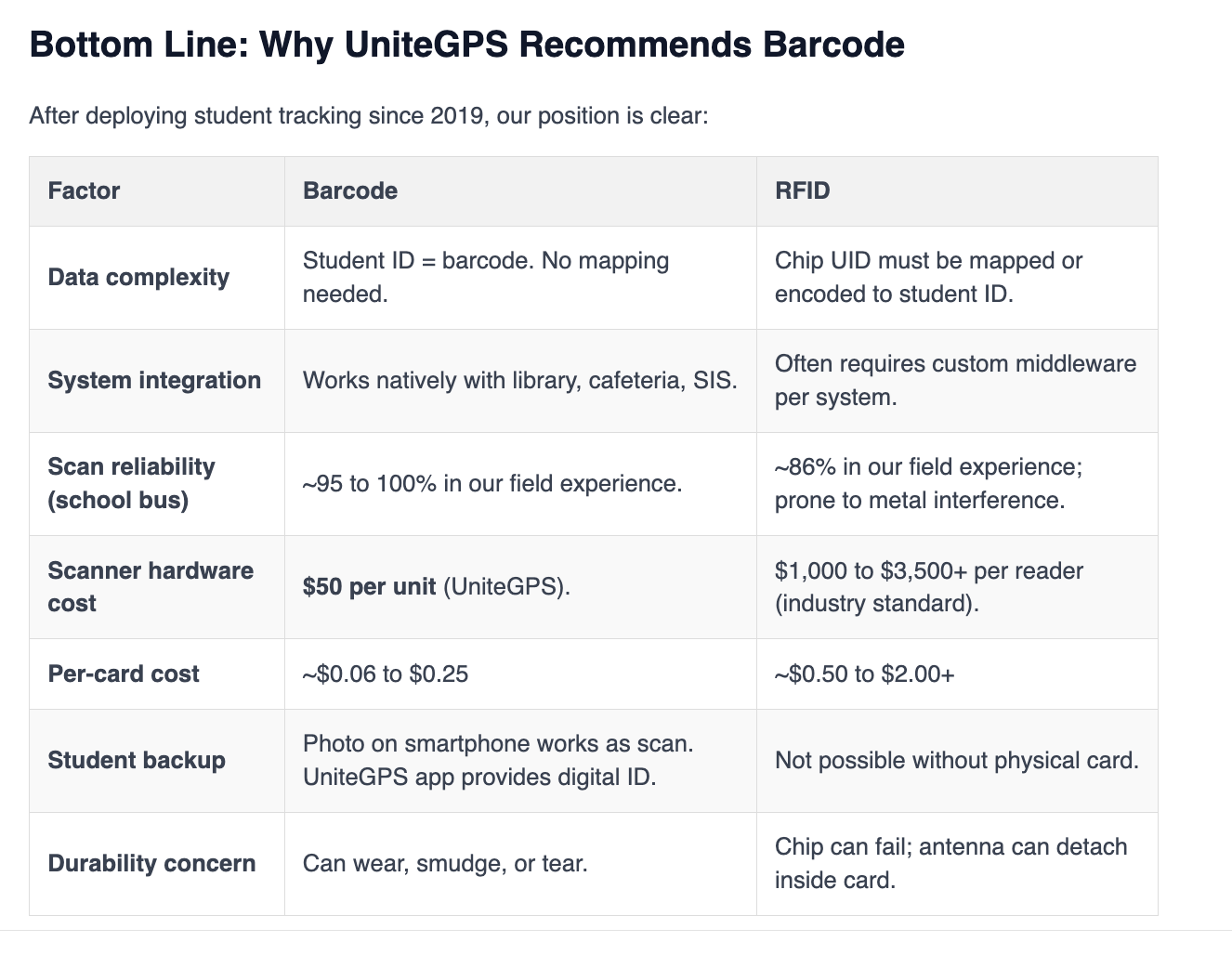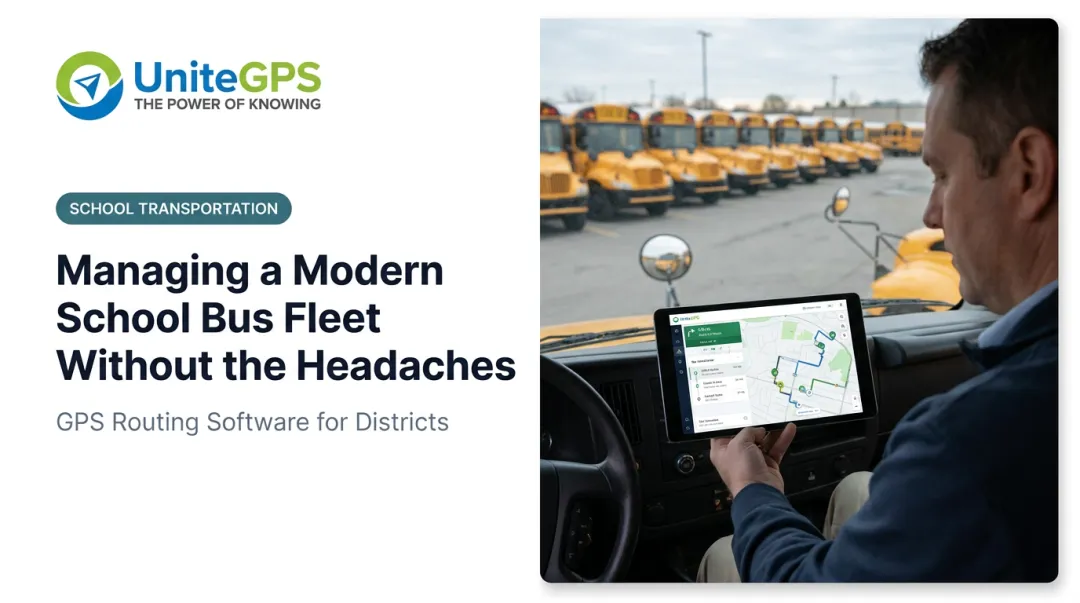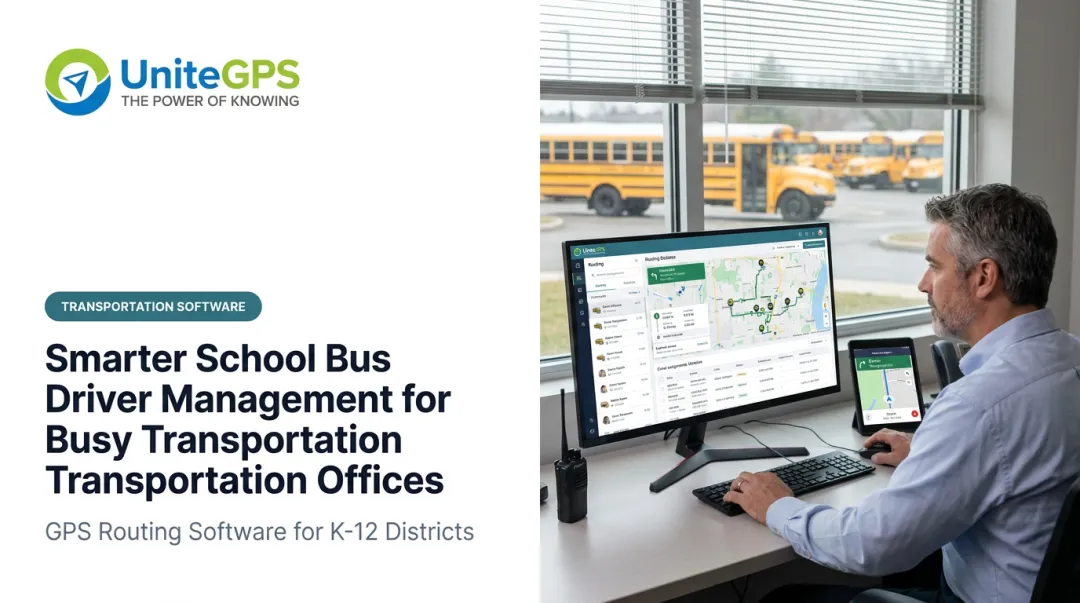
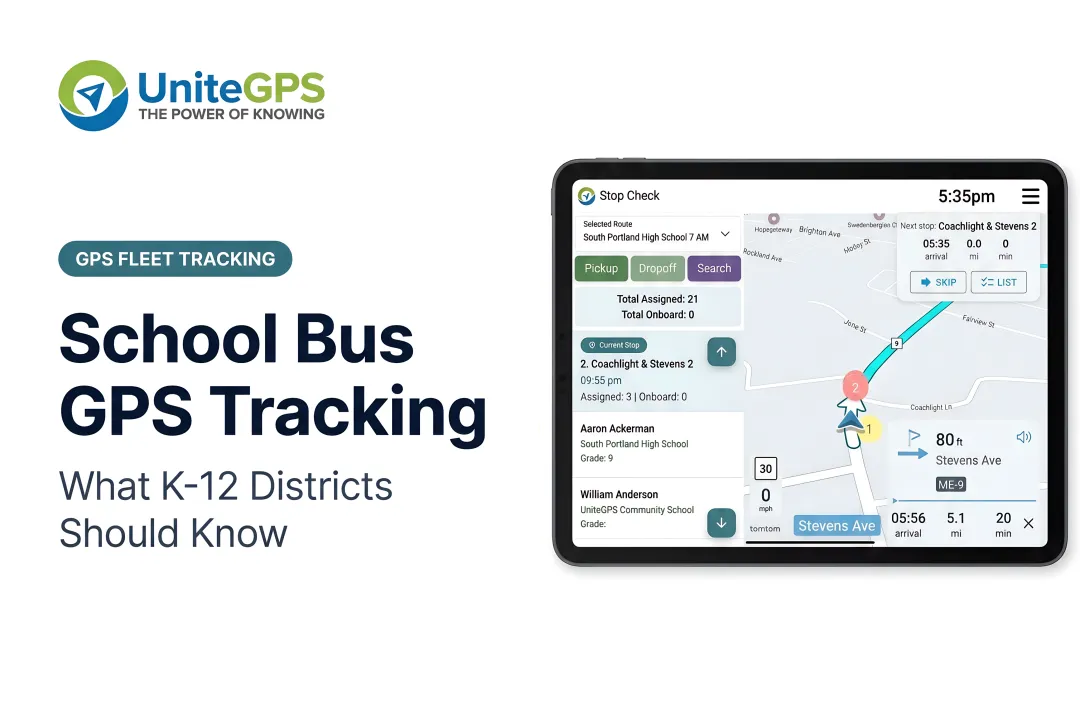
 Picture a January morning in Maine. Two kids standing at the end of a driveway in single-digit temperatures, breath visible, no idea if the bus is two minutes away or twenty. No app. No notification. No way to know.
That exact frustration — experienced firsthand by UniteGPS co-founder Christopher Bunnell watching his own children wait in the cold — became the founding spark for a company built entirely around solving it. But what Bunnell and his co-founders discovered after launching was even more telling: parents weren't the only ones left in the dark. Transportation directors were running entire fleets with inadequate tools, no ridership verification, and workflows held together by spreadsheets and phone calls — most of them handed the job without a roadmap and figuring it out alone.
This guide is written for K-12 transportation directors and district administrators evaluating GPS tracking solutions — as the capable professionals they are, not as generic buyers. It covers what school bus GPS actually involves, what safety problems it solves, which features matter most, and how to evaluate purpose-built K-12 platforms against generic fleet tools — before you sign anything.
Key Takeaways
- K-12 GPS tracking requires student-level workflows — not just a vehicle dot on a map
- Real safety value comes from real-time GPS paired with student ridership confirmation, parent notifications, and route data
- FERPA compliance is a legal requirement, not a vendor selling point — ask for documentation
- Purpose-built K-12 platforms reduce parent call volume, support Medicaid billing, and simplify sub driver workflows
- The most important evaluation question: was this platform built for K-12, or adapted from commercial logistics software?
Why K-12 GPS Tracking Is Different from Commercial Fleet Solutions
Commercial fleet tracking was designed for cargo. It answers one question: where is the vehicle? For a delivery company, that's enough. For a school district, it's barely the starting point.
K-12 transportation carries more than 50 million student trips per day across 480,000 yellow school buses nationwide. The operational responsibilities attached to those trips have no equivalent in commercial logistics.
What Commercial Tools Miss
A generic fleet tracker won't tell you:
- Whether a specific student boarded at their assigned stop
- Which students are currently on Bus 7
- Whether a sub driver followed the correct route
- When a student with an IEP arrived at school (for Medicaid billing)
- Whether the bus actually stopped when a parent claims it didn't
These aren't edge cases — they're daily operational realities in every district.
The K-12 Workflow Gap
When UniteGPS founders began talking to transportation departments after launching their initial GPS and parent app, the feedback was consistent. Using a concept similar to Maslow's hierarchy of needs, transportation directors explained that parent visibility was a higher-order need — one that couldn't deliver real value until foundational operational problems were solved first.
Those foundational problems — the ones commercial fleet tools simply don't address — included:
- Routing students efficiently based on enrollment data
- Syncing transportation records with Student Information Systems (SIS)
- Confirming daily student ridership for every student, every run
- Providing reliable in-vehicle navigation for drivers and sub drivers
Districts that deploy a commercial fleet tracker tend to find these same gaps quickly: no ridership verification, no SIS integration, parent tools that don't understand school schedules, and support teams with no K-12 context.
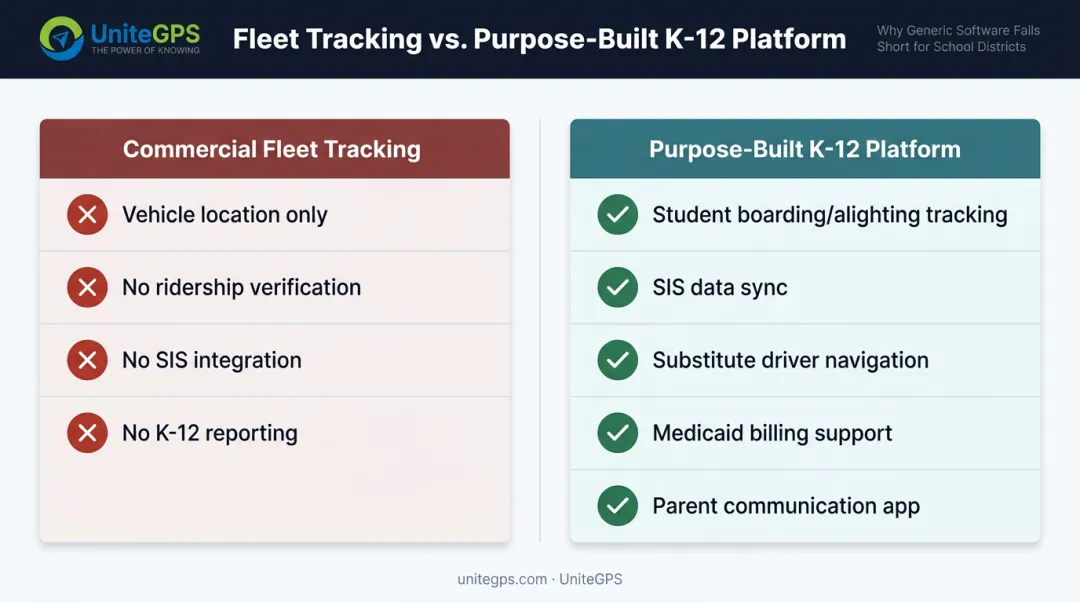
The result is a GPS system that shows vehicle locations while leaving the real operational work undone. A purpose-built K-12 platform is built around these workflows from the ground up — by people who understand the job — not retrofitted from an enterprise logistics product. That's the core design philosophy behind UniteGPS Crosswalk K-12.
The Student Safety Challenges GPS Tracking Directly Addresses
School buses remain one of the safest forms of student transportation — students are nearly 8 times safer in a school bus than in a passenger car. Safety statistics, though, don't eliminate operational risks. Four categories of incidents occur regularly that GPS technology directly addresses.
Wrong-Stop Drop-Offs and Left-On-Bus Incidents
These incidents happen more often than most districts publicize. In 2025, a Morris County, New Jersey prosecutor filed charges after a four-year-old special needs student was allegedly left on a school bus in a bus yard. Wrong-stop drop-offs generate parent complaints, media coverage, and liability exposure — and they're preventable.
Real-time GPS combined with student ridership verification closes this gap. When a system logs exactly which students boarded and alighted at each stop, the district has documentation to resolve disputes and can identify process failures before they recur — the kind of insight that makes a director look sharp in front of their superintendent.
Faster Emergency Response
When a dispatcher has real-time visibility into every bus location, response time to breakdowns, medical emergencies, or route deviations drops from minutes to seconds. Knowing Bus 12 is stopped at an unexpected location at 7:43 AM is far more actionable than finding out 20 minutes later when the school calls.
The NYC Comptroller's 2025 audit of NYC DOE bus services found that the district did not proactively or systematically use available GPS data to oversee school bus vendors — a finding that underscores how much operational value goes unrealized when GPS data exists but isn't actively monitored.
Driver Behavior Monitoring
GPS-linked speeding and idle alerts give transportation directors visibility into how drivers are operating, not just where. When the system flags a speed limit violation, that event is timestamped and tied to a specific route and driver — giving transportation directors documented evidence for corrective conversations rather than relying on secondhand reports.
Common behaviors GPS monitoring surfaces include:
- Speeding above posted limits on specific route segments
- Excessive idling that signals schedule or route problems
- Unscheduled stops or route deviations
- Early or late arrivals outside acceptable windows
Student Ridership as a Safety Layer
GPS alone confirms the bus was at a stop. Student ridership tracking confirms whether a specific student boarded or didn't — a critical distinction when a parent calls saying their child never got off the bus. Or never got on.
Must-Have Features in a K-12 School Bus GPS System
Not all GPS platforms are built for K-12 accountability. These are the features that separate genuine K-12 solutions from adapted commercial products.
Real-Time GPS Updates
"Real-time" is used loosely in this market. Some platforms display animated approximations based on position data that lags 30 seconds or more — smooth on screen, inaccurate in practice.
Purpose-built K-12 systems update bus positions every few seconds. When a parent calls asking exactly where their child's bus is, a dispatcher needs a current answer — not an estimate from half a minute ago. Crosswalk K-12 updates vehicle positions every few seconds, with color-coded fleet status indicators visible to dispatchers across the entire school bus fleet simultaneously.
Student Ridership Tracking
GPS shows where the bus is. Student ridership tracking shows who is on it. These are different capabilities, and K-12 districts typically need both.
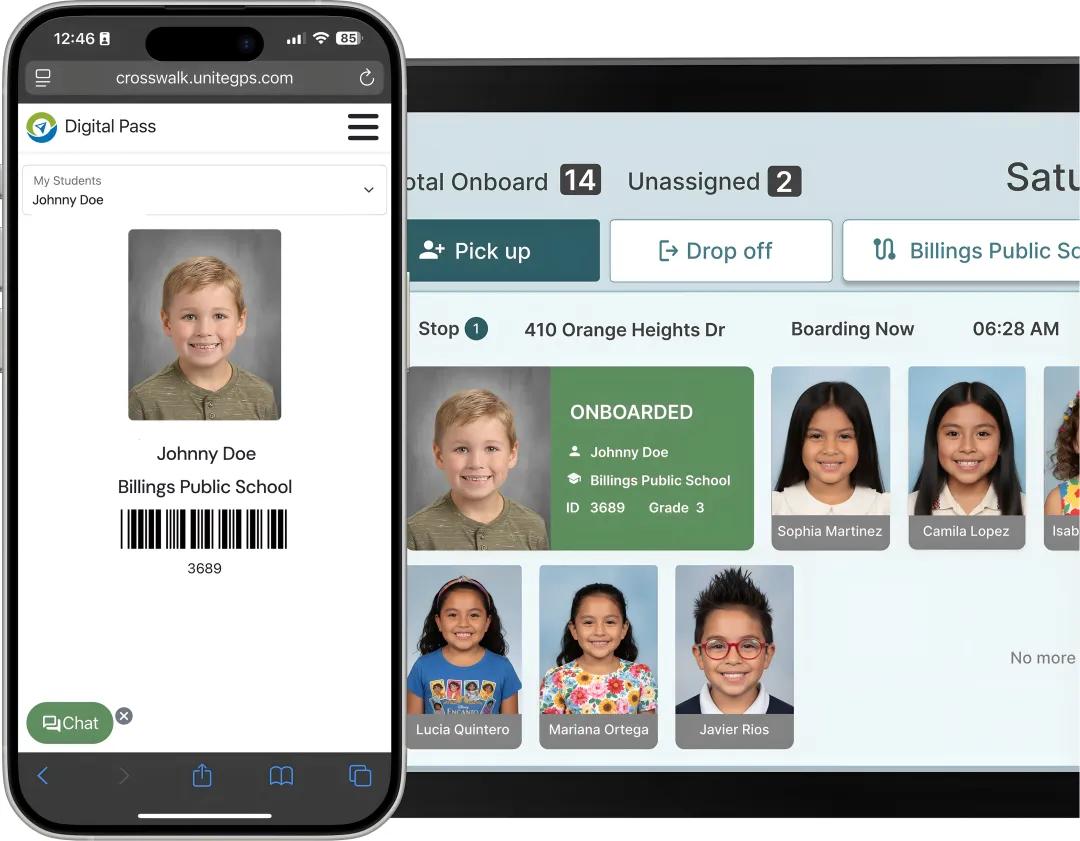
Crosswalk K-12's Full Suite uses in-vehicle tablets with barcode scanning to capture boarding and alighting events for every student on every run. Students scan a barcode — on a card or a phone — when boarding. The system logs the event, handles edge cases like forgotten cards, and builds a daily ridership record that feeds directly into Medicaid billing, parent notifications, and dispute resolution.
Tim Lyons, Director of Transportation at Benton Community School District, describes the practical impact: "If a parent calls saying that the bus didn't stop, we can look and see that they were there. It has made a huge difference in our district."
Parent-Facing App with ETA and Alerts
A parent app isn't optional — it's the primary mechanism for reducing inbound call volume to the transportation office. Must-have features include:
- Real-time bus location as the bus approaches the stop
- Expected arrival time at the student's stop
- Boarding and alighting confirmation (Full Suite)
- Automated delay and route-change parent notifications
Crosswalk K-12 offers two tiers: a Basic Parent App (Plus Plan) with live bus location, and an Advanced Parent App (Full Suite) with full student ridership history and scheduled arrival details.
Sub Driver Support
Driver shortages are a persistent challenge — a 2021 survey by NASDPTS, NAPT, and NSTA found 65% of respondents named driver shortage their top concern, with 51% calling it severe or desperate.
When a sub driver covers an unfamiliar route, the risk of wrong-stop incidents increases sharply. Crosswalk K-12 addresses this with two navigation layers:
- Printable turn-by-turn directions (all plans) — includes a full stop manifest with student names, school destinations, and scheduled arrival times at every stop
- Live tablet navigation (Full Suite) — real-time audible and visual guidance with student information displayed at each stop
Either format ensures a driver who has never run a particular route can complete it accurately without calling dispatch.
SIS Data Integration and Routing
A GPS system is only as reliable as the student data behind it. Crosswalk K-12 syncs automatically with major K-12 Student Information Systems — pulling student names, addresses, grade levels, and school assignments without manual re-entry. When enrollment changes, route manifests update automatically.
Route optimization is included across all plans. The Vehicle History tool gives transportation directors:
- Side-by-side comparison of planned versus actual routes on interactive maps
- Stop arrival verification with timestamped records
- Deviation identification for driver accountability
- A running data foundation for continuous route improvement
FERPA Compliance and Student Data Privacy
When a GPS system logs student boarding events, ties location data to individual children, or shares transportation records with parents, it is handling student education records under FERPA (20 U.S.C. 1232g, 34 CFR Part 99). Compliance is a legal requirement, not a vendor feature.
What FERPA Compliance Actually Requires
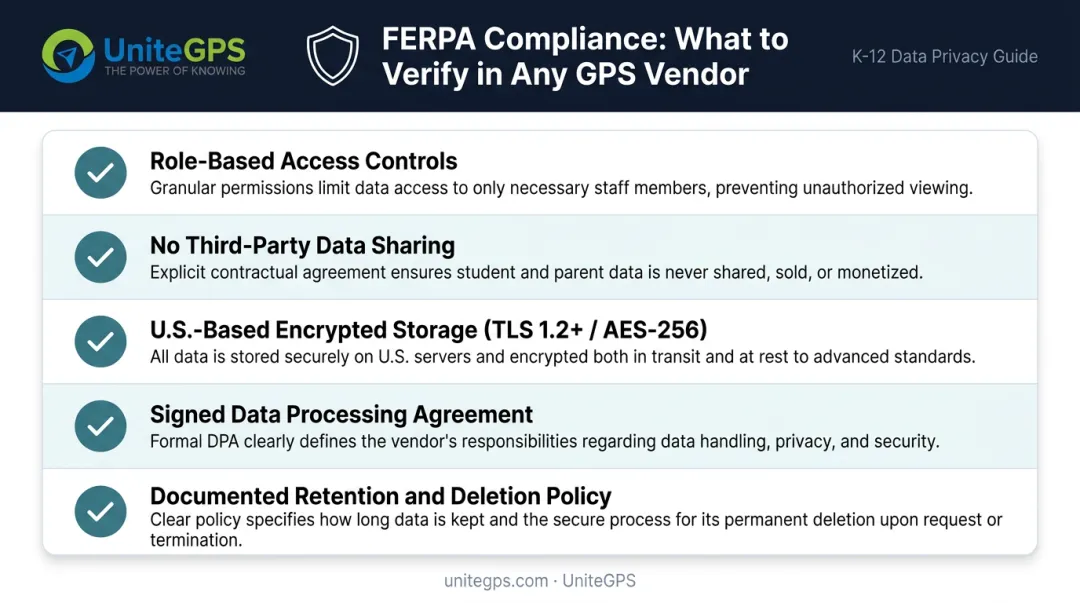
For any GPS vendor handling student transportation data, districts should verify:
- Restricts student-level data to authorized users through role-based access controls
- Prohibits sale or sharing of student data with any third party for commercial purposes
- Stores all data on U.S.-based infrastructure with encryption in transit (TLS 1.2+) and at rest (AES-256)
- Executes a formal Data Processing Agreement (DPA) establishing the vendor as a school official under FERPA
- Maintains documented retention and deletion policies, including written certification of data destruction at contract termination
UniteGPS meets each of these requirements: every district receives a signed DPA, all data is stored on U.S.-based cloud infrastructure, and student data is never sold or shared for any commercial purpose. UniteGPS also undergoes annual third-party audits — districts can request compliance documentation directly at security@unitegps.com.
Questions to Ask Any GPS Vendor
Before signing a contract, ask directly:
- Who has access to student transportation data within your organization?
- Where is data stored, and is it exclusively U.S.-based?
- How long is data retained after contract termination?
- Do you sell or share student data with any third party for any purpose?
- Can you provide your Data Processing Agreement and FERPA compliance documentation?
If a vendor can't answer these questions clearly and in writing, don't sign the contract.
How GPS Tracking Reduces Operational Burden on Transportation Teams
GPS tracking's safety benefits get most of the attention. For transportation directors managing daily workload, the operational case hits just as hard — and often more immediately.
Parent Call Volume
Without a parent app, every late bus generates a phone call. Transportation offices in districts without real-time parent visibility spend significant staff time fielding location questions that a parent app would answer automatically.
Crosswalk K-12's Find My Routes feature lets parents instantly look up their child's bus, its current location, and the expected stop arrival time — without contacting the office. Districts that have deployed parent notification apps consistently report sharp reductions in inbound call volume, so your team spends its day leading the operation instead of answering the phone.
Medicaid and IEP Documentation
Many districts transport students with IEPs who qualify for Medicaid transportation reimbursement. Accurate, timestamped student ridership records — generated automatically by the barcode scanning system in Crosswalk K-12's Full Suite — compile boarding and exit events into reports districts can submit directly for reimbursement. This eliminates the manual documentation burden and captures funding that might otherwise go unclaimed.
Fleet Efficiency
Real-time fleet visibility combined with route optimization gives transportation directors a clearer picture of where time and money are being lost:
- Identifies routes running longer than planned
- Flags excessive idle time that drives up fuel costs
- Tracks deadhead miles as a distinct mileage category
GPS-verified mileage logs automatically per route and per bus, exportable for state reimbursement filings and budget planning — the kind of data that makes route decisions easy to defend to a board.
How to Evaluate and Choose the Right School Bus GPS Solution
The Evaluation Framework
Approach vendor evaluation with a checklist mindset:
- Was the platform purpose-built for K-12, or adapted from commercial fleet software?
- Does it include K-12-specific reporting (student ridership, Medicaid, route deviation)?
- Does it integrate with routing tools and your SIS?
- Does the support team have K-12 transportation expertise — or generic software support?
- Can you speak to districts currently using the platform?
Pricing and Contract Considerations
School district budgets aren't enterprise budgets. Look for:
- Transparent, per-bus pricing with no hidden hardware fees
- Annual billing with no multi-year lock-in
- A meaningful trial period to validate fit before committing
UniteGPS (Crosswalk K-12) offers three tiers designed for different operational needs:
| Plan | Monthly Rate | Hardware | What's Included |
|---|---|---|---|
| Core Plan | $49/month flat | None | Routing, SIS sync, optimization |
| Plus Plan | $25/bus/month | None | Live GPS, parent app, mileage tracking |
| Full Suite | $39/bus/month | ~$1,699/bus (one-time) | Student ridership tracking, tablet navigation, Medicaid billing |
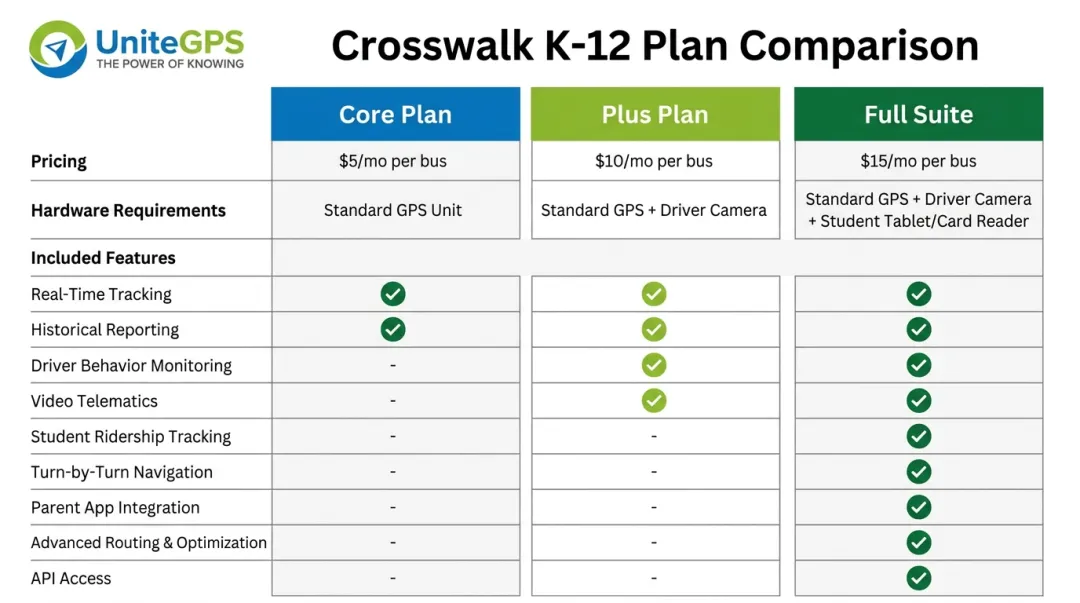
Districts that want to test before they commit have a clear path in. UniteGPS offers a 90-day free trial with no credit card required, unlimited live K-12 specialist support with no tickets or queues, and serves 100+ districts nationwide. That trial gives transportation directors time to run real routes, verify SIS integration, and confirm the platform fits — before signing anything. Every other company sells you software and walks away; the intent here is to stay, teach, and help you build a department you're proud of.
Frequently Asked Questions
When the bus is shut down, will we still know where it is?
Yes. Some camera-based systems go dark the moment the ignition is off, which is exactly when a director wants to know a bus is sitting somewhere it shouldn't be. Crosswalk gives you real-time GPS 24/7. You can still see the bus even when the engine and ignition aren't live, so an idle bus in the wrong lot at the wrong hour isn't a mystery you solve the next morning.
Does it work with the GPS hardware we already have?
Often, yes. If your buses run CalAmp, Zonar, or 247Recorders, Crosswalk can take that data feed and run it in the platform, so you're not buying a whole second GPS system just to switch. That compatibility is frequently the deciding factor for districts mid-contract on hardware, and if you prefer new devices, they arrive pre-labeled and pre-assigned so installation is plug and play.
Does it integrate with our SIS: PowerSchool, Infinite Campus, or Skyward?
Yes. Crosswalk syncs daily with the major student information systems, pulling names, addresses, grades, and school assignments so route manifests update themselves when enrollment changes. Worth confirming with any vendor: whether the sync runs in both directions and what happens if your PowerSchool doesn't include the transportation module, a gap that catches districts off guard.
Who can see our students' data, and is it FERPA compliant?
Student-level data stays restricted to authorized users through role-based access, and it is never sold or shared for any commercial purpose. That is student data, and it isn't handed out lightly. Every district gets a signed Data Processing Agreement naming UniteGPS as a school official under FERPA, U.S.-based storage with encryption in transit and at rest, and annual third-party audits. Ask for that documentation in writing before you sign anything.
Can we do year-to-year, and are the GPS devices included?
Year-to-year is the standard: annual invoicing, no five-year commitment, and GPS devices included at no separate charge. For districts whose board or attorney restricts long-term agreements, that gets confirmed on the quote in writing, and the first invoice can be timed to your fiscal year so budget cycles never block the decision.
How does GPS help when a parent says the bus never showed up?
This is one of the most common wins directors report. When a parent insists the bus skipped their stop, real-time GPS paired with student ridership shows exactly where the bus was and when, "it was there at 6:43," and whether the child boarded. The record settles the dispute in seconds instead of turning into a he-said-she-said, and it protects the driver and the district alike.