Introduction
Picture a Monday morning in January. A parent is standing outside with their kindergartner, watching their breath fog in the cold, waiting on a bus that's running 20 minutes late. They've already called the transportation office twice. The dispatcher has no idea where the bus is. The driver is a sub driver who's never run this route.
This scenario plays out in school districts every week — not because transportation staff aren't capable, but because they're working without the right tools. Buses built on spreadsheet routes, student ridership tracked on paper, parent calls fielded manually, and sub drivers navigating from memory.
That's the problem K-12 fleet management software is built to solve. School transportation is a $27.9 billion annual operation — and according to NCES data, more than 24 million public school students depend on it every day. At that scale, inefficiency isn't just inconvenient. It's expensive, and sometimes dangerous.
This guide walks transportation directors through what modern fleet management platforms actually do, what separates capable software from capable-sounding software, and what to look for when evaluating options for your district.
Key Takeaways
- K-12 fleet management software combines GPS tracking, route optimization, student ridership, SIS integration, and parent communication in one platform
- Real-time bus visibility and boarding records cut safety incidents — and stop families from guessing
- Route optimization trims fuel costs and labor hours in ways that show up on the budget
- SIS integration keeps routing data current without manual entry
- Purpose-built K-12 platforms handle IEP routing, FERPA compliance, and safety rules that general fleet tools miss
What Is K-12 Fleet Management Software?
K-12 fleet management software is a purpose-built operational platform that helps school districts plan routes, track buses in real time, manage student ridership, communicate with parents, and maintain compliance. Commercial fleet trackers answer one question. K-12 platforms answer a fundamentally different set of them.
General-purpose tools tell you where the vehicle is right now. K-12 software goes further:
- Which students should be on which bus, and are they actually there?
- Does the routing data automatically reflect today's enrollment changes?
- Can a sub driver navigate an unfamiliar route without prior knowledge?
- Are parents informed about their child's boarding status, not just the bus's location?
- Is the district capturing documentation for Medicaid reimbursement and IEP compliance?
The technology has matured significantly from basic location ping tools. Modern platforms connect vehicle data, student enrollment records, driver management, and parent-facing apps in a unified dashboard. Most are cloud-based, meaning transportation directors, dispatchers, drivers, and parents all access current information from any device in real time.
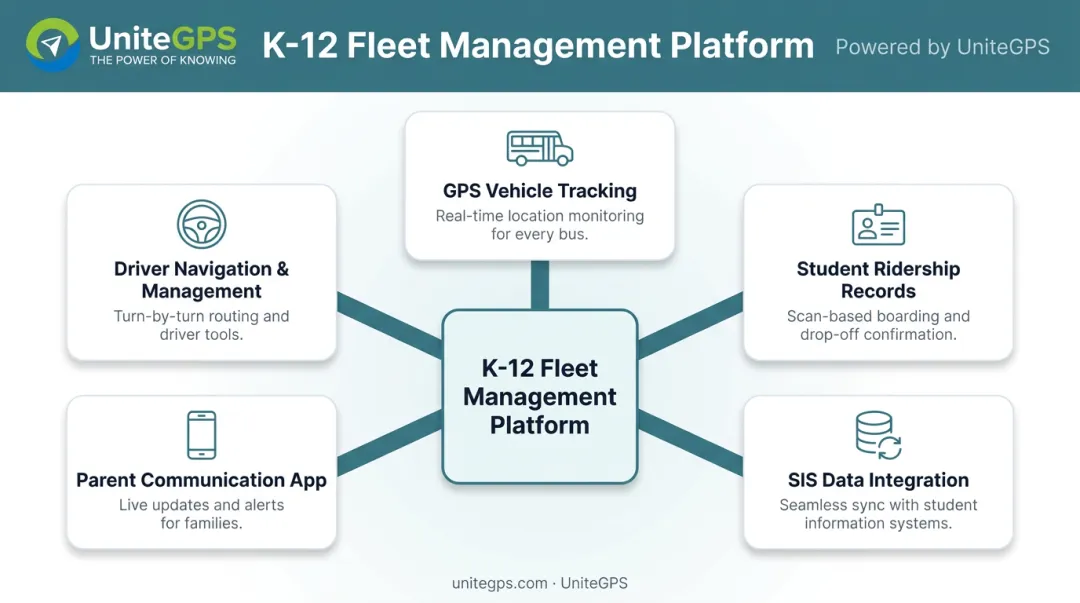
UniteGPS built its Crosswalk K-12 platform through this same progression. Co-founder Chris Bunnell started with a specific frustration: his own children waiting in Maine winters with no bus ETA. The company launched in 2014 with GPS tracking and a parent app to solve that problem directly.
Early conversations with transportation directors, though, revealed a deeper need. Routing inefficiencies, SIS data gaps, ridership verification, and driver navigation were the foundational problems — and GPS alone didn't touch them. Crosswalk expanded one capability at a time from there, with every feature driven by district feedback and funded entirely by client revenue.
Core Features Every K-12 Fleet Management Platform Should Include
Not all fleet management tools are built equally. A platform designed for K-12 must address student-specific operational and safety needs that commercial tools simply weren't designed for.
Real-Time GPS Tracking and Route Optimization
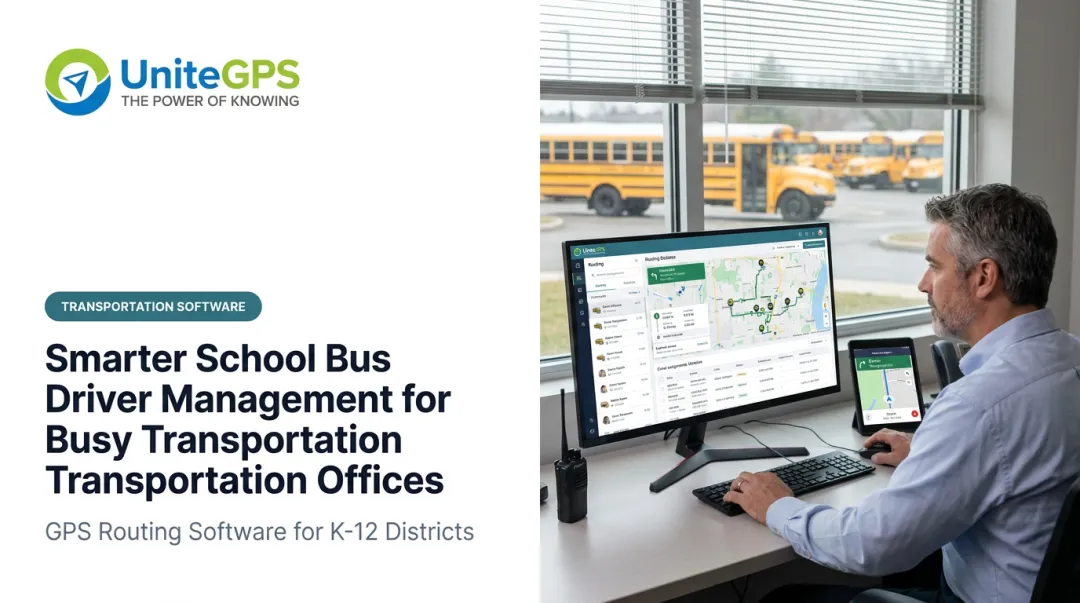
Live GPS tracking gives dispatchers visibility into every bus in the school bus fleet simultaneously — including color-coded on-time status indicators, automated speeding and idle alerts, and complete vehicle history that can replay any route against the planned path.
When something goes wrong — a bus running late, a driver taking an unexpected turn — dispatchers know immediately. They don't wait for a driver to call in.
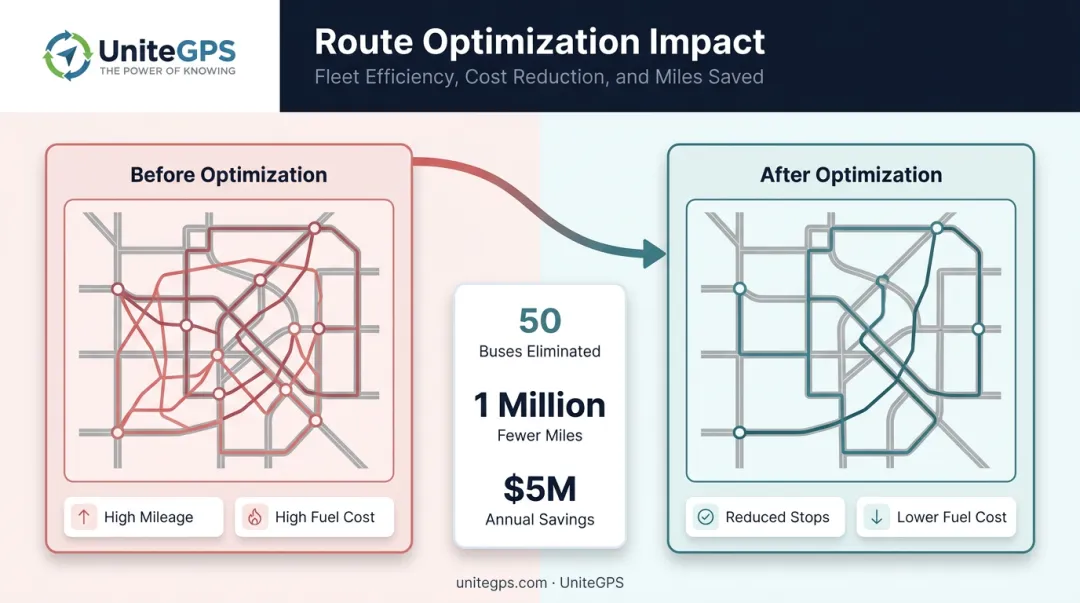
Route optimization tools use student addresses, school bell schedules, and road conditions to build efficient paths. The impact can be substantial: Boston Public Schools eliminated approximately 50 buses, drove 1 million fewer miles in a single year, and saved an estimated $5 million annually through algorithm-based route optimization. The underlying math — fewer redundant routes, lower fuel consumption, shorter student ride times — scales down to districts of any size.
Student Ridership Tracking
Ridership tracking logs student boarding and departure events stop by stop, using barcode card swipes on in-vehicle tablets. The system captures:
- Student identity at every scan
- Timestamp of the event
- Stop location where boarding or departure occurred
This produces an exact daily bus roster — a verified stop manifest, not an estimate. Parents receive instant alerts the moment their child scans on or off the bus. Transportation directors can pull timestamped ridership history to respond to any parent dispute with facts rather than uncertainty.
Tim Lyons, Director of Transportation at Benton Community School District, described the practical value directly: "If a parent calls saying that the bus didn't stop, we can look and see that they were there. It has made a huge difference in our district."
SIS Data Integration
Every time a student enrolls, moves, or changes eligibility, that information needs to reach the transportation platform. Without integration, transportation staff spend significant time manually re-entering data from the Student Information System — and the routing data is always slightly out of date.
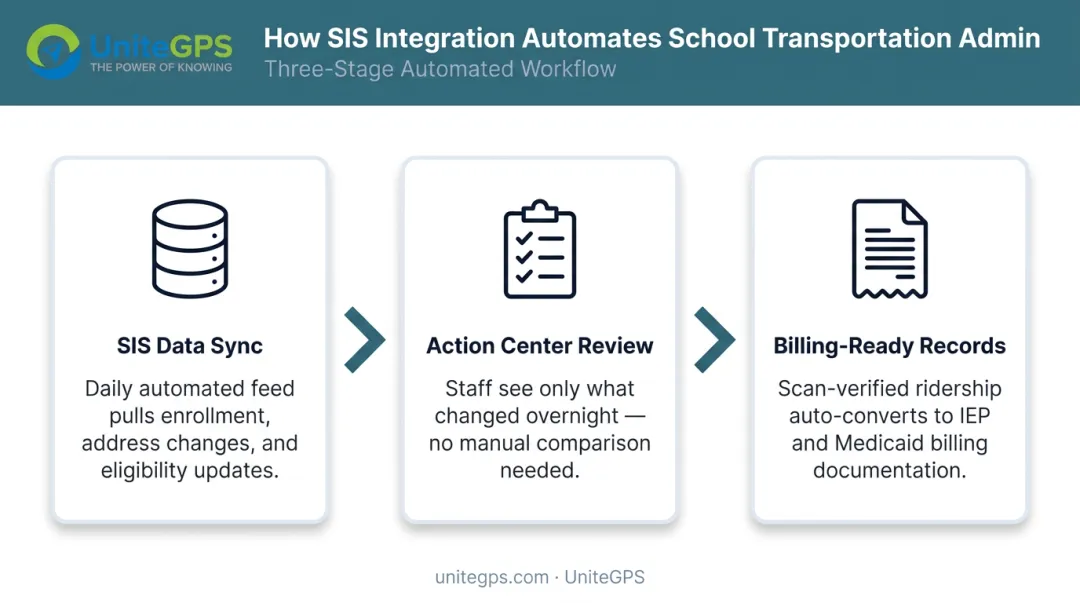
Modern K-12 platforms connect directly to major SIS platforms — PowerSchool, Infinite Campus, Skyward, Harmony — via daily automated data feeds. A built-in action center flags new students, address changes, and disenrollments each morning. Transportation staff see what changed overnight and can act on it without manual comparison.
Delaware DOE's 2024 RFP for a statewide routing system listed bi-directional Infinite Campus integration as a core requirement — a signal that SIS connectivity has moved from nice-to-have to expected standard. When evaluating platforms, verify that SIS sync is available at the entry tier — not reserved as a premium add-on.
Parent Communication Tools
Parent-facing mobile apps give families real-time bus arrival estimates and boarding notifications. When staff spend less time answering status calls, they can focus on the operational work that actually keeps routes running.
Crosswalk K-12 offers two parent app options: a basic app with live bus location and arrival estimates, and an advanced app that adds real-time boarding and departure alerts triggered by card swipe scans.
Driver Navigation and Sub Driver Management
Sub driver coverage is one of the most operationally fragile moments in school transportation. A sub driver who doesn't know the route, the stops, or which students to expect creates service gaps that affect students and generate parent calls.
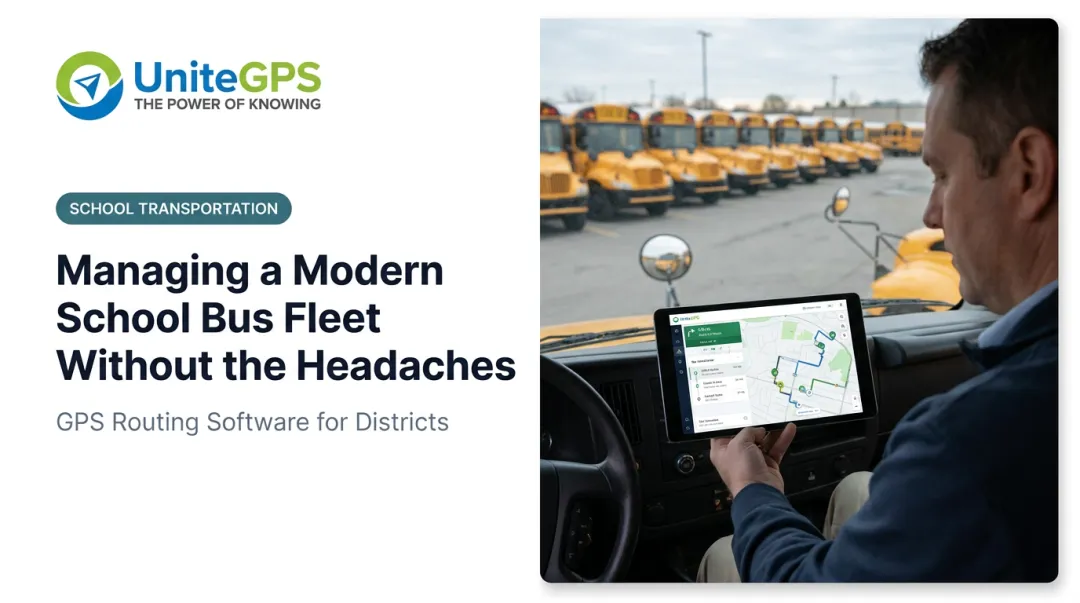
Built-in turn-by-turn navigation on in-vehicle tablets guides both regular and sub drivers stop by stop — with audible directions, student names displayed at each stop, and bus-appropriate routing that respects road restrictions. Even without a tablet, printable turn-by-turn route sheets can be mass-exported to PDF for the entire school bus fleet.
A sub driver with zero prior route knowledge can pick up a sheet and run the route on day one — no coaching required.
How Fleet Management Software Improves School Bus Safety
School buses are among the safest forms of transportation. NHTSA data shows school buses record 0.2 fatalities per 100 million vehicle miles traveled, compared to 1.5 for passenger cars — making students nearly eight times safer on a school bus than riding in a private vehicle.
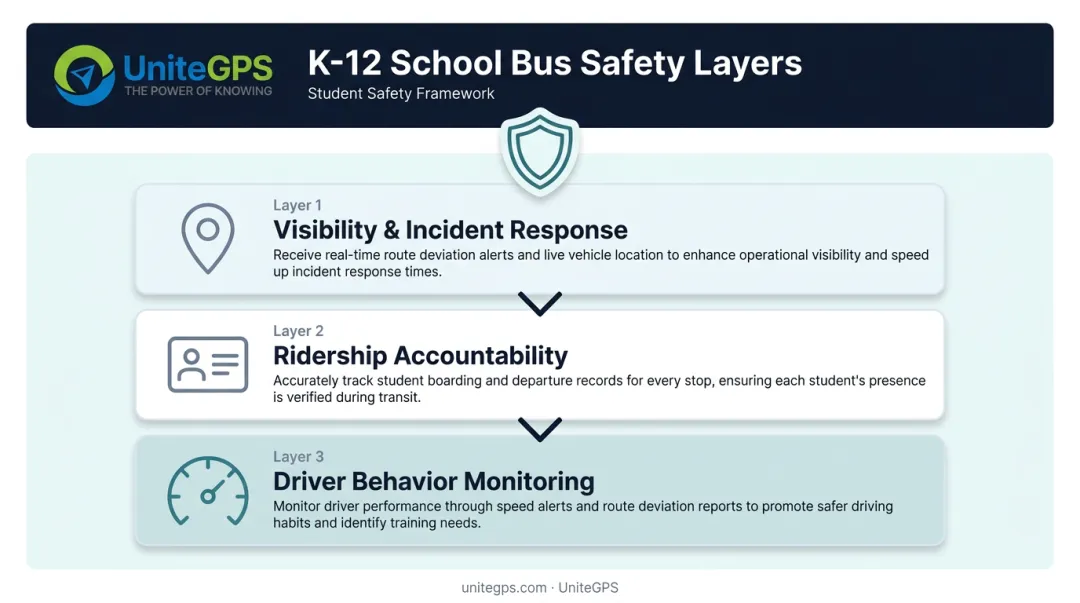
Maintaining that record requires more than vehicle engineering. Software plays a direct role in three safety layers:
Visibility and incident response. When a bus deviates from its route, goes silent, or is involved in an incident, real-time GPS tracking means administrators know immediately — not when the driver eventually calls in. Faster awareness enables faster response: coordinating substitute coverage, notifying parents, or dispatching assistance to a specific location.
Ridership accountability. Knowing where a bus is doesn't answer the safety question of who is on it. Student ridership tracking creates a digital record of every boarding and departure event — protecting students and giving parents immediate notification of unexpected situations.
California's SB 1072 mandated child safety alert systems on school buses by the 2018-19 school year. NYC's official school bus app describes planned board/exit ridership notifications for families. Both reflect a broader regulatory trend toward tighter ridership accountability.
Driver behavior monitoring. Speed alerts, idle time tracking, and route deviation detection give transportation directors visibility into driver behavior without requiring direct observation. Monthly and annual per-driver speed reports give directors a coaching tool — identifying patterns before they become incidents.
FERPA compliance is non-negotiable for any platform handling student ridership records, location history, or parent contact data. When evaluating vendors, transportation directors should confirm:
- Vendor signs a formal Data Processing Agreement establishing its role as a school official under FERPA
- Data encrypted with AES-256 at rest and TLS 1.2+ in transit
- Multi-factor authentication required for platform access
- Data collection limited to transportation-relevant fields only
Crosswalk K-12 collects student name, address, grade, route assignment, and parent contact — nothing else. Academic records, health data, and IEP documents never touch the platform.
Operational Efficiency and Cost Savings for School Districts
The financial case for fleet management software is often the deciding factor for school boards. The question isn't just what the software costs — it's what doing nothing costs.
Route Optimization Savings
Route optimization reduces total miles driven, lowers fuel consumption, and eliminates redundant routes. Boston Public Schools' experience — 50 fewer buses, 1 million fewer miles, $5 million in annual savings — is the most documented K-12 case study available. It's a large-district example, but the mechanism scales: every district has routes that can be consolidated, stops that can be combined, and miles that can be removed.
Crosswalk K-12's Route Optimizer produces before-and-after overlays and dollar savings estimates for districts. Typical mid-size district findings range from $300,000 to $500,000 in identified savings, with eliminating a single route saving approximately $40,000 to $50,000 per year.
Administrative Automation
Manual data reconciliation is one of the most underestimated cost centers in school transportation. Every time a student enrolls, moves, or changes eligibility, someone has to manually update the routing platform — or accept that the data is wrong.
SIS integration eliminates that cycle. Key automation gains include:
- Routing data stays current through daily automated SIS syncing, with no manual staff intervention
- Daily action center surfaces only what changed, replacing hours of comparison with a focused morning review
- IEP/Medicaid billing converts scan-verified ridership records into billing-ready documentation, cutting the end-of-month cross-referencing that typically falls to transportation staff
Maintenance and Fleet Reliability
Unexpected breakdowns cost more than the repair bill. Towing, delayed students, sub driver logistics, and parent communication all compound the direct expense.
Digital pre- and post-trip vehicle inspections (logged, timestamped, and photo-documented) create a maintenance accountability chain that catches issues before they become roadside failures. Failed inspection items go directly to mechanics in real time — not via paper forms that drivers drop off at end of shift.
What to Look for When Choosing K-12 Fleet Management Software
Built for K-12, Not Adapted from Commercial Tools
The first question is whether the platform was purpose-built for K-12 transportation or adapted from a commercial fleet management tool. The distinction shows up immediately in features like SIS integration, FERPA compliance, IEP routing support, and student ridership tracking — none of which exist in commercial tools because commercial fleet customers don't need them.
Johnston County Public Schools' 2025 RFP listed employee time tracking, student ridership tracking, turn-by-turn navigation, and pre-trip vehicle inspections as core requirements. No commercial fleet tool addresses that full feature set out of the box.
Evaluation Questions to Ask Every Vendor
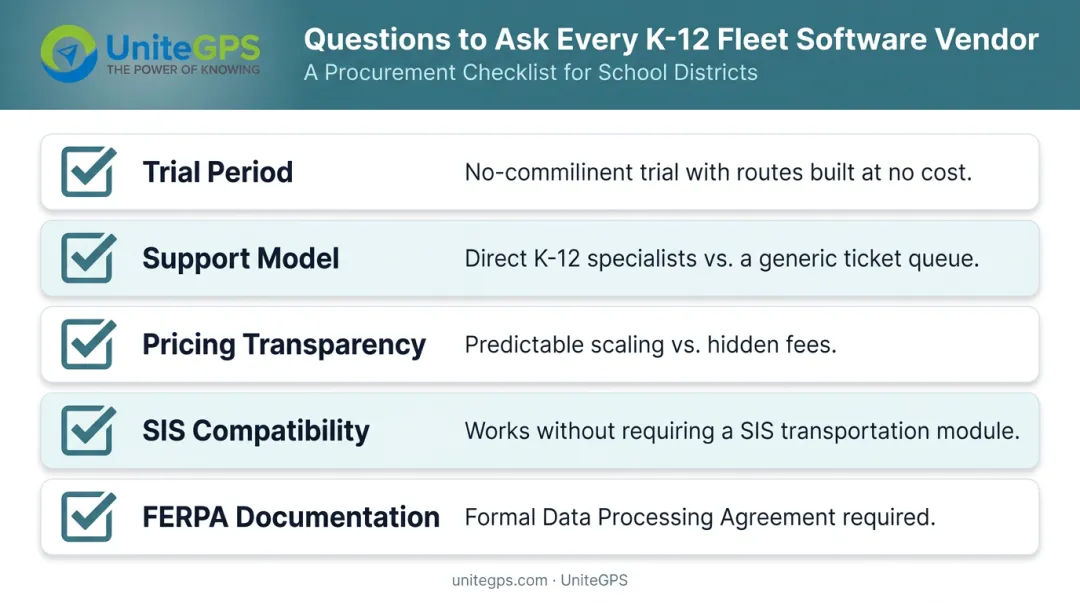
Ask every vendor these questions before signing anything:
- Trial period: Is there a meaningful, no-commitment trial — including routes built for you at no cost — before a contract is required?
- Support model: Is support a ticket queue or direct access to K-12 specialists who know school transportation operations?
- Pricing transparency: Does cost scale predictably as the district grows, or are there hidden per-seat, per-student, or add-on fees?
- SIS compatibility: Does the platform integrate with your specific SIS without requiring the SIS transportation module?
- FERPA documentation: Does the vendor sign a formal Data Processing Agreement, not just include a privacy policy checkbox?
Ownership and Long-Term Stability
Districts that have experienced a vendor acquisition know the disruption it creates: pricing changes, support degradation, platform decisions driven by investor timelines rather than district needs.
UniteGPS has served 100+ districts for over a decade, fully bootstrapped and profitable without outside investment. The company receives regular acquisition inquiries from private equity firms and has declined every one — PE-driven ownership structures prioritize financial returns over district relationships. Every feature in Crosswalk K-12 was built from district feedback and funded by client revenue.
That's the difference between a software vendor and a partner: we don't sell you software and walk away. We stay, we share what we know, and we help you build a transportation operation your district can be proud of. Great student transportation starts with great leaders — and we build both.
Crosswalk K-12 includes:
- 90-day free trial with no credit card required
- Routes built at no cost — kept by the district whether or not they subscribe
Frequently Asked Questions
How does fleet management software help reduce parent calls to the transportation office?
Parent-facing mobile apps provide real-time bus location and automated boarding notifications, so families can see when the bus is approaching and receive confirmation when their child boards or exits. When families have that visibility on their phone, there's no reason to call.
Does K-12 fleet management software work for small school districts?
Yes. Many platforms, including Crosswalk K-12, scale from small rural districts with a handful of buses to large urban school bus fleets. Smaller districts often see the fastest return on investment because manual processes consume a disproportionately large share of limited staff time.
How does SIS integration work in fleet management software?
The software connects to the district's Student Information System via an automated daily data feed, pulling student enrollment, address changes, and eligibility updates directly into the routing platform. A daily action center then flags what changed overnight, so staff can review updates without any manual re-entry.
Is student data safe in a cloud-based fleet management system?
Reputable K-12 platforms maintain FERPA compliance through formal Data Processing Agreements, AES-256 encryption at rest, TLS 1.2+ in transit, and multi-factor authentication. Transportation directors should confirm specific compliance standards and request a copy of the vendor's DPA before signing a contract.
How long does it take to implement K-12 fleet management software?
Most districts get core GPS tracking and routing live within weeks, with SIS integration configured during that same window. Ridership tracking and the on-board driver tablet features follow in a phased rollout. The 90-day trial period covers this entire process, with a named contact building routes alongside the district team from day one.
Does it work with our existing GPS hardware?
Usually, yes. Crosswalk K-12 is compatible with existing GPS hardware from vendors like CalAmp, Zonar, and 247Recorders — the platform can take that data feed and run it directly. Districts that recently purchased GPS units don't have to buy a whole new system to switch, which removes one of the most common barriers to changing platforms.
Can we do a year-to-year contract instead of a multi-year commitment?
Yes. UniteGPS offers year-to-year contracts with annual invoicing and no multi-year lock-in. That matters for districts whose board or legal counsel restricts agreements beyond a set term, and the year-to-year terms are put in writing on the quote.
Is the free offer a first-year-only deal?
No — there's no first-year gimmick or forever-free catch. Districts start with a 90-day free trial: UniteGPS sets up your routes and SIS data feed at no cost, and you keep the routing even if you don't continue. Billing after the trial is year-to-year, with no multi-year lock-in.