

Option 1: During Account Registration
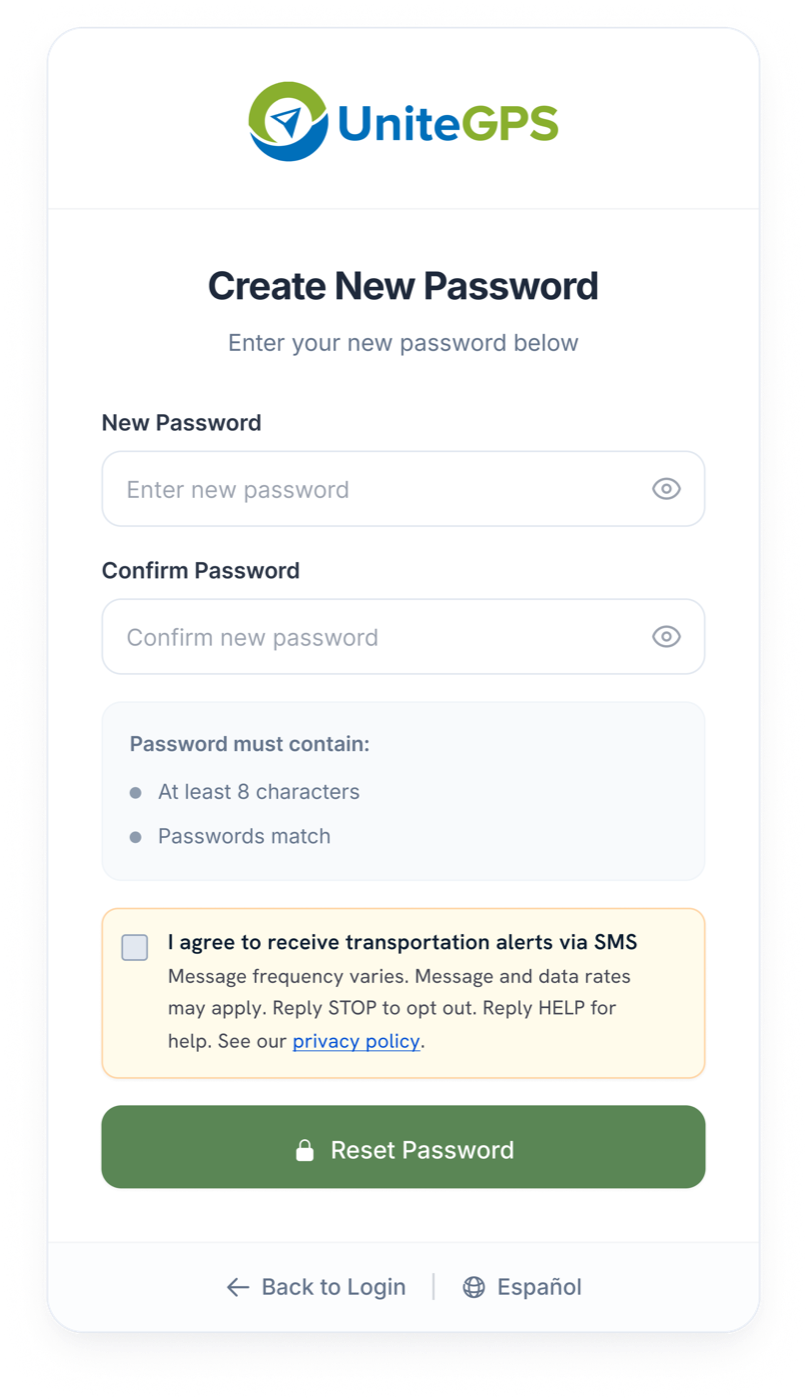
When parents create their account or reset their password, they can opt-in to SMS alerts by checking the consent checkbox. The checkbox is unchecked by default and includes full disclosure: message frequency, data rates, and opt-out instructions.
Disclosure shown next to the checkbox
"I agree to receive transportation alerts via SMS"
- Message frequency varies
- Message and data rates may apply
- Reply STOP to opt out
- Reply HELP for help
- Link to the Privacy Policy
Consent is optional. Parents can complete registration or password reset without checking the box, and no SMS messages are sent unless they do.
Option 2: Email Consent Invitation
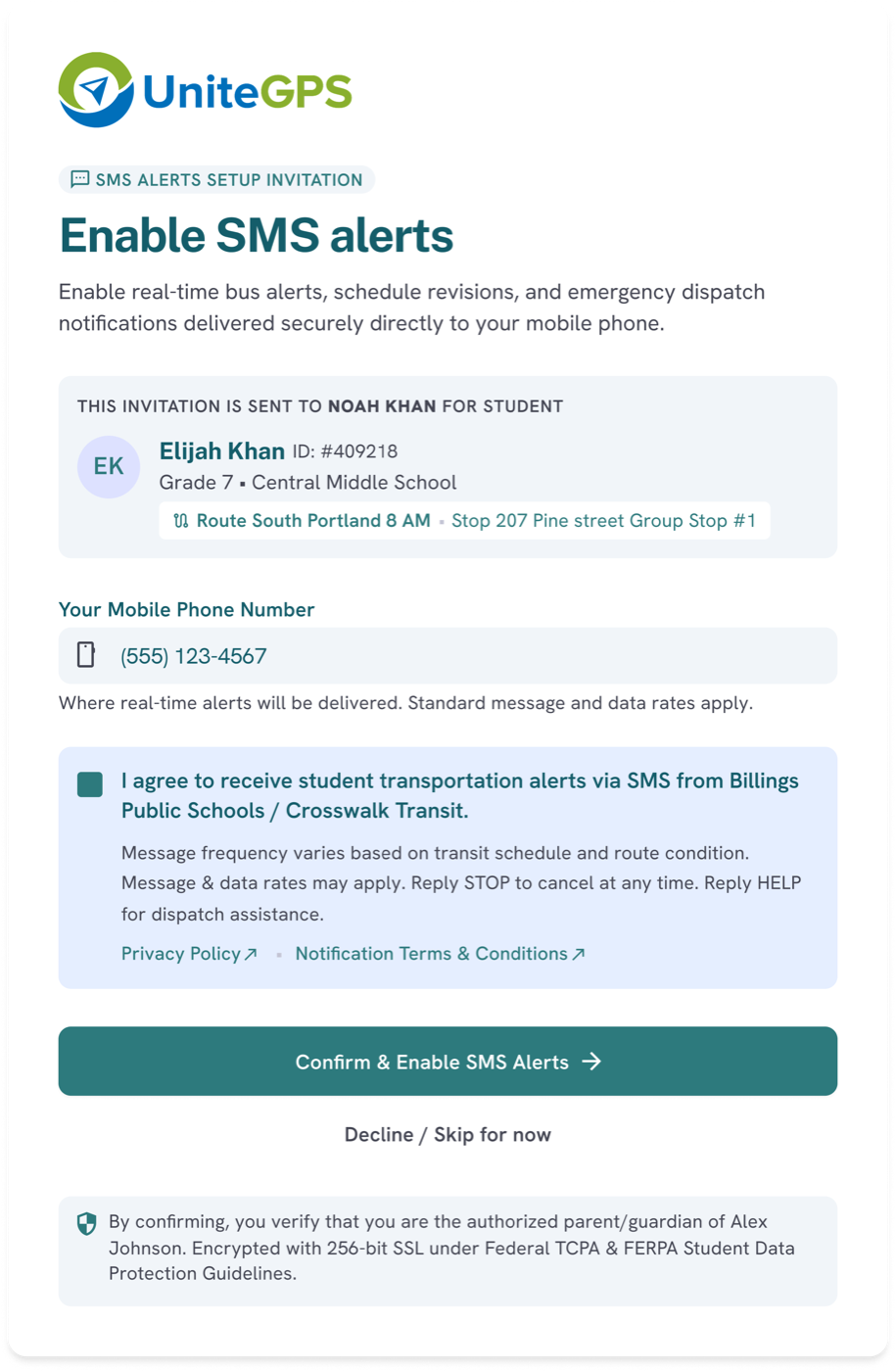
District administrators can send an email invitation to existing parents with a link to the SMS consent form. Parents click the link, review the disclosure, and check the consent box to enable SMS alerts.
Parents can also access this form anytime by logging into their account to opt-in or opt-out.
What the form includes
- The student and district the alerts relate to
- The mobile number that will receive alerts
- Consent checkbox with frequency, rates, STOP and HELP disclosure
- Links to the Privacy Policy and SMS Terms & Conditions
- A clear "Decline / Skip for now" option
The invitation itself is delivered by email, never by SMS. No text message is sent until the parent submits this form with the consent box checked.
Admin Portal: Consent Status Management
District administrators can view and manage SMS consent status for each parent contact. The system tracks consent state (Opted In, Pending, Opted Out) with timestamps. Admins can resend consent invitations to pending contacts.
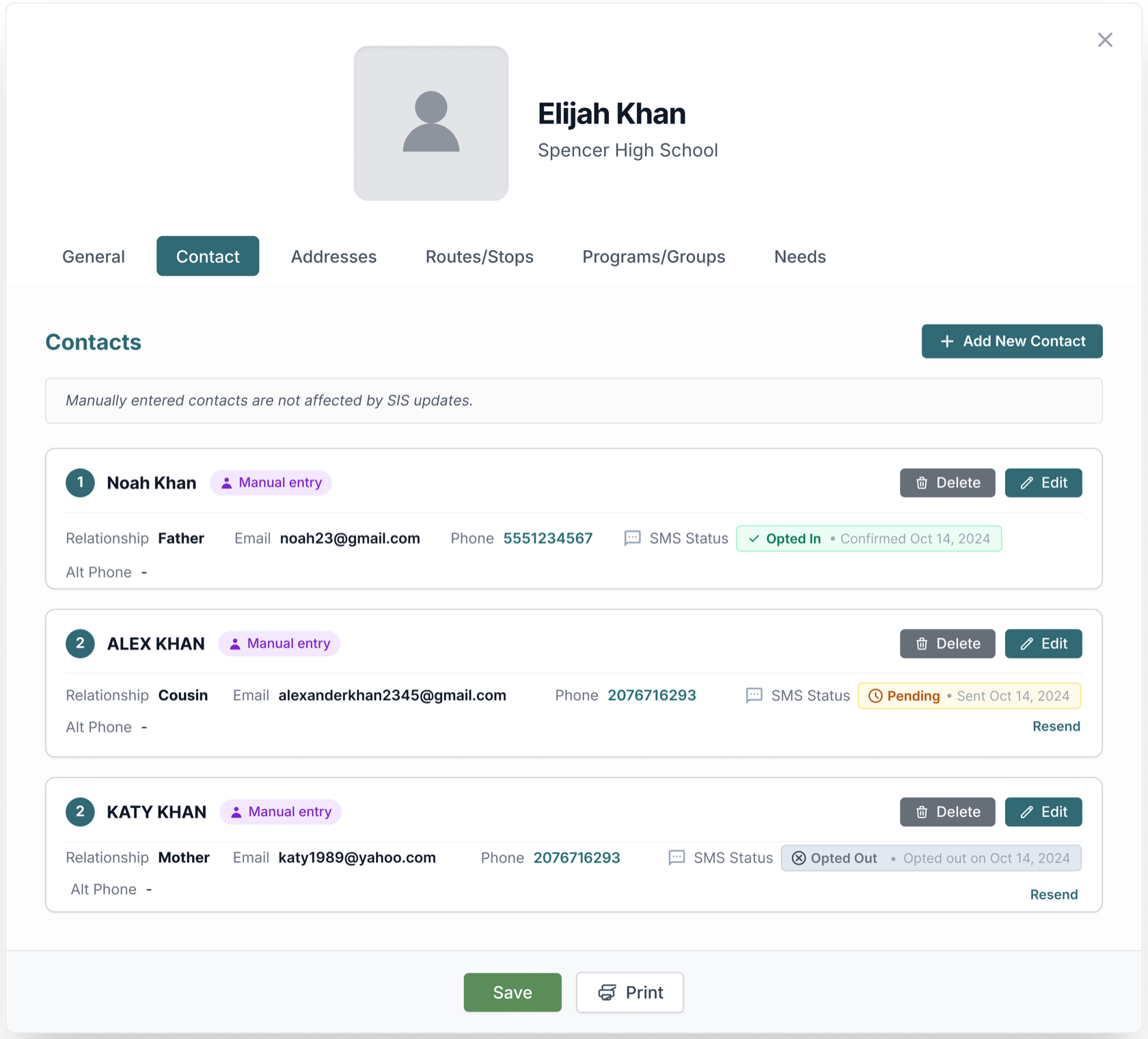
Messages are only delivered to contacts in the Opted In state. Pending and Opted Out contacts never receive SMS. The "Resend" action sends another email invitation, not a text message.
All SMS communications comply with TCPA regulations. Recipients can reply STOP at any time to opt out.